Why Smart-Money Tracker?
Smart-Money Tracker is a finished native macOS app, not a UI kit. It turns Polymarket's public data into a research desk: find the wallets that actually win, follow them, see where they agree, and compare their moves with your own positions. Everything runs locally on the user's Mac with no API keys, no backend and no accounts.
- 10 screens and views built in SwiftUI with a polished dark theme
- Discover top wallets by profit, ROI, volume or wins, filtered by market category
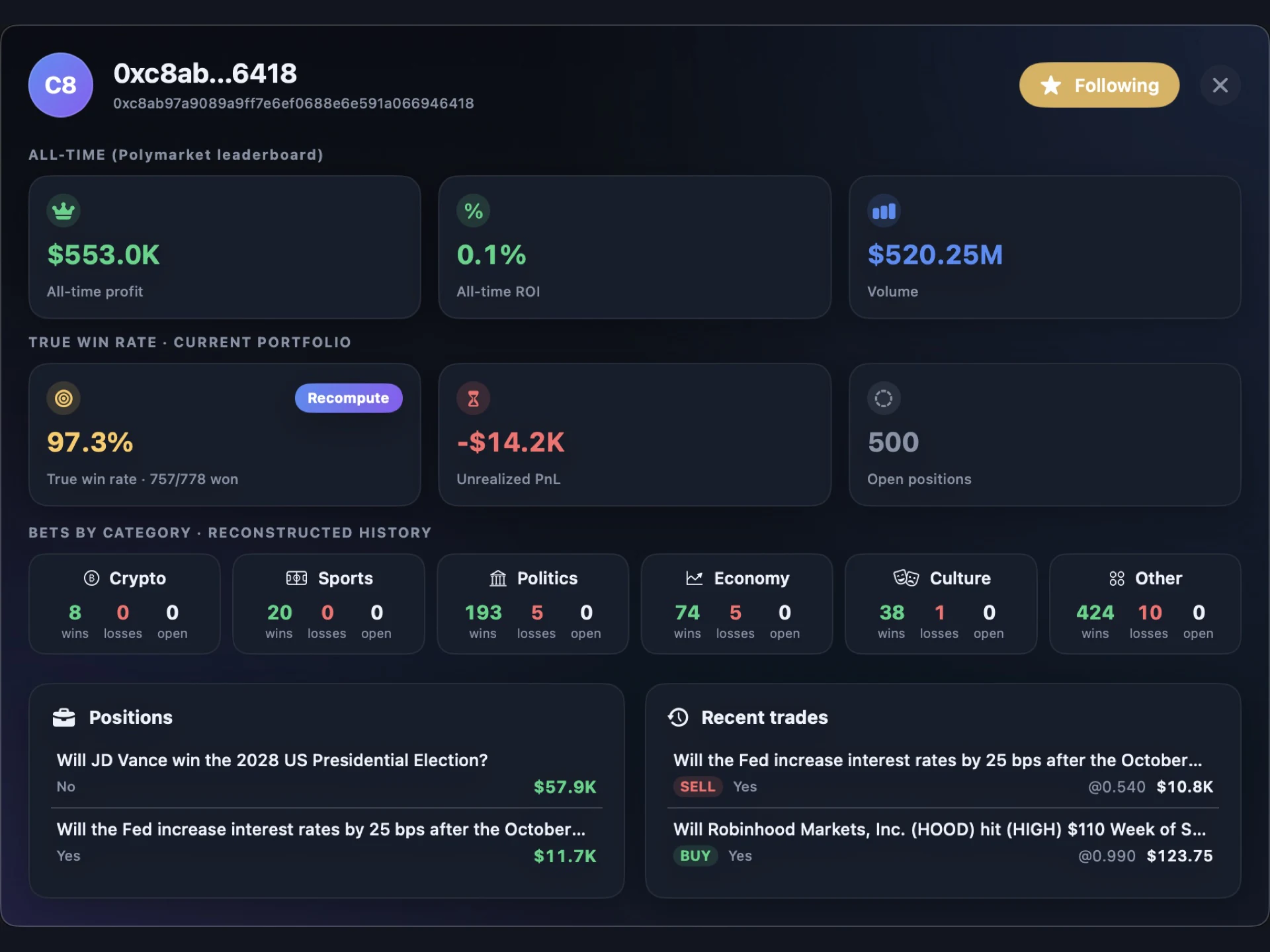
- "True win rate" rebuilt from full trade history and CLOB market resolutions, not just visible positions
- Watchlist with profit, ROI, volume, open exposure and wins/losses per category
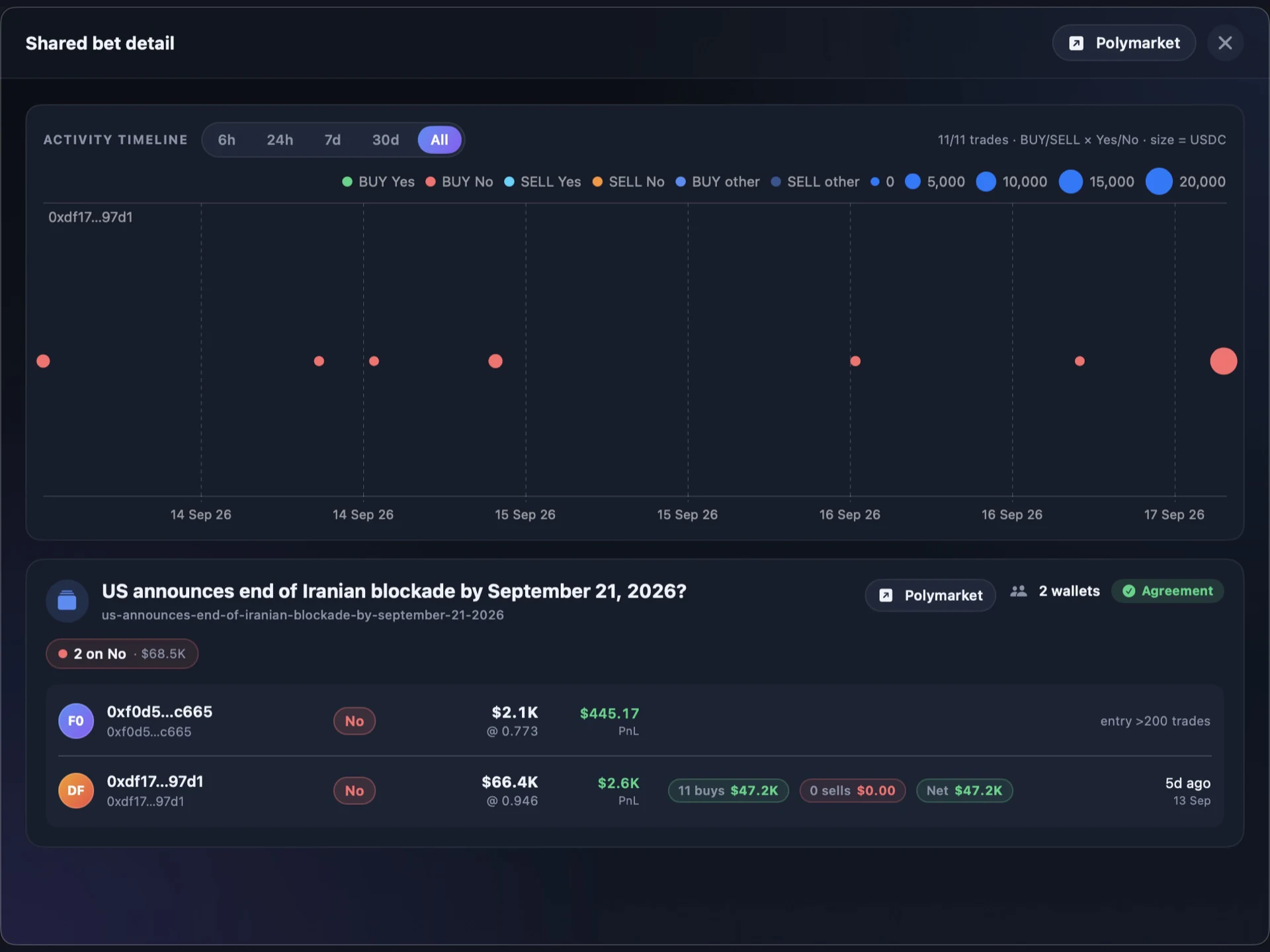
- Shared bets: markets where 2+ followed wallets hold a position, with agreement/split badges
- Interactive activity timeline (Swift Charts) with per-trade tooltips and 6h to All ranges
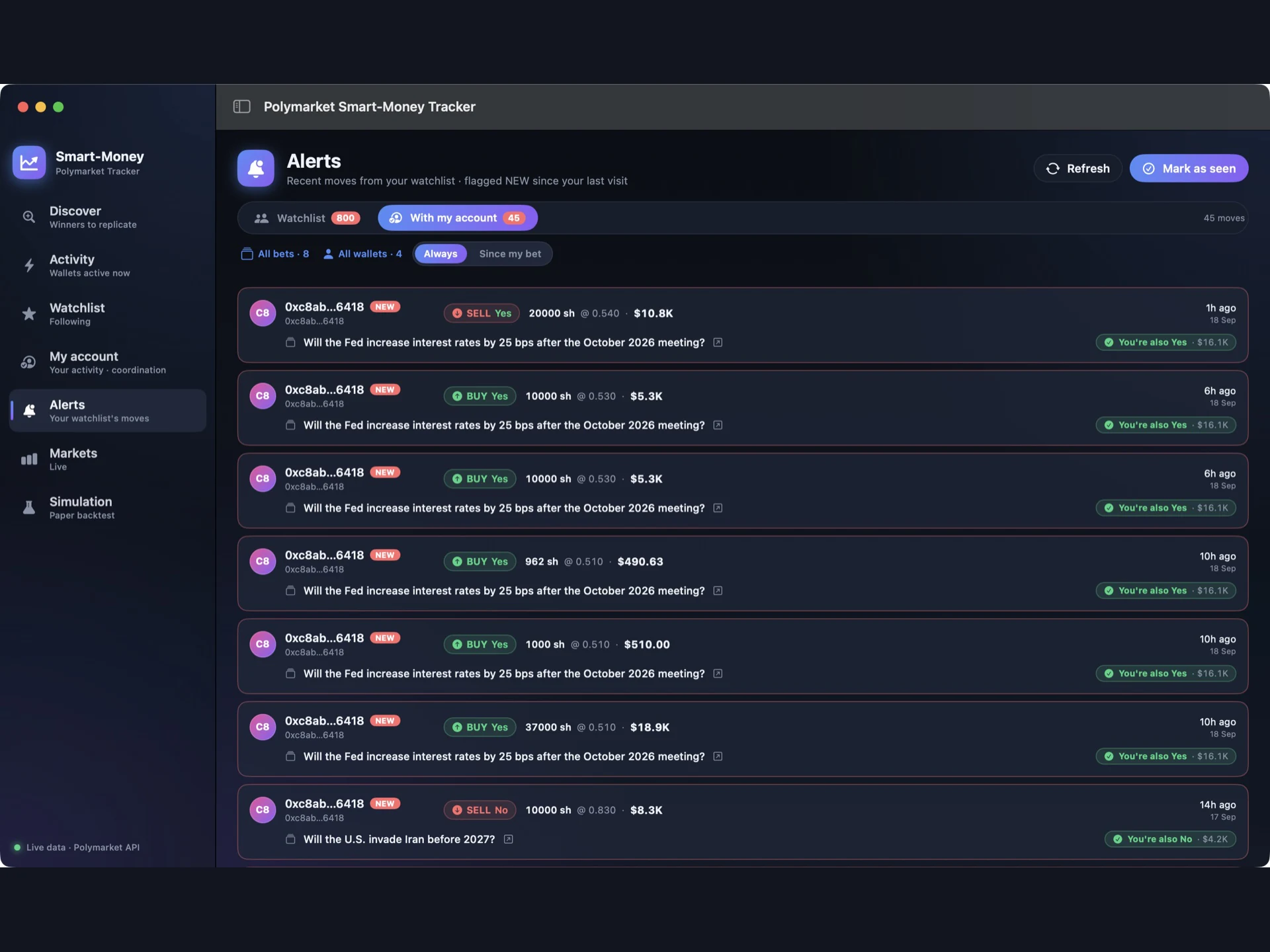
- Alerts feed with NEW badges since your last visit
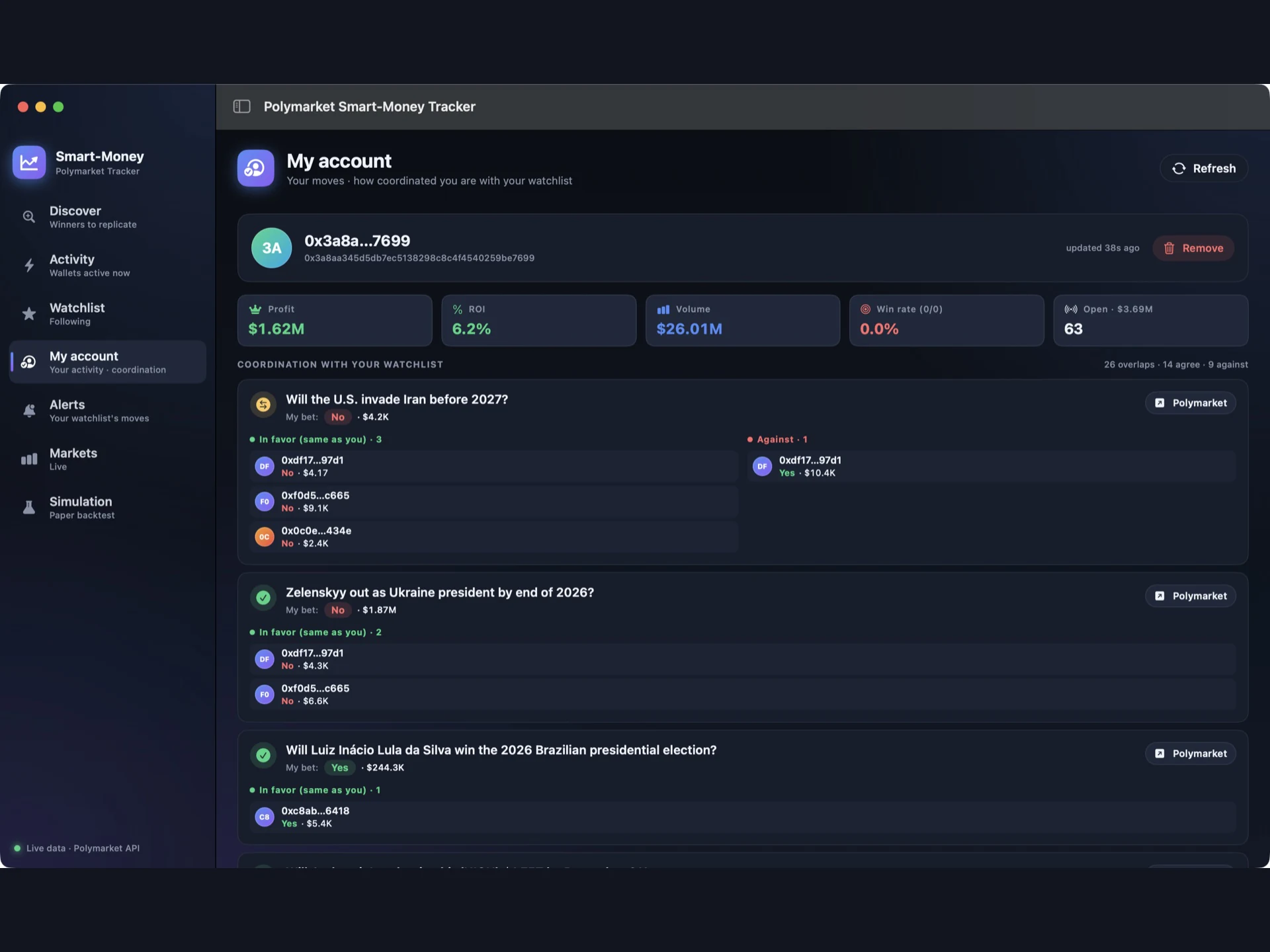
- "My account" coordination view: who is on your side and who is against you
- Paper copy-trading simulation with an equity curve. No real funds involved
- Zero third-party dependencies: only Apple frameworks
- Read-only and private: data stays on the user's Mac
01. Discover the wallets that actually win
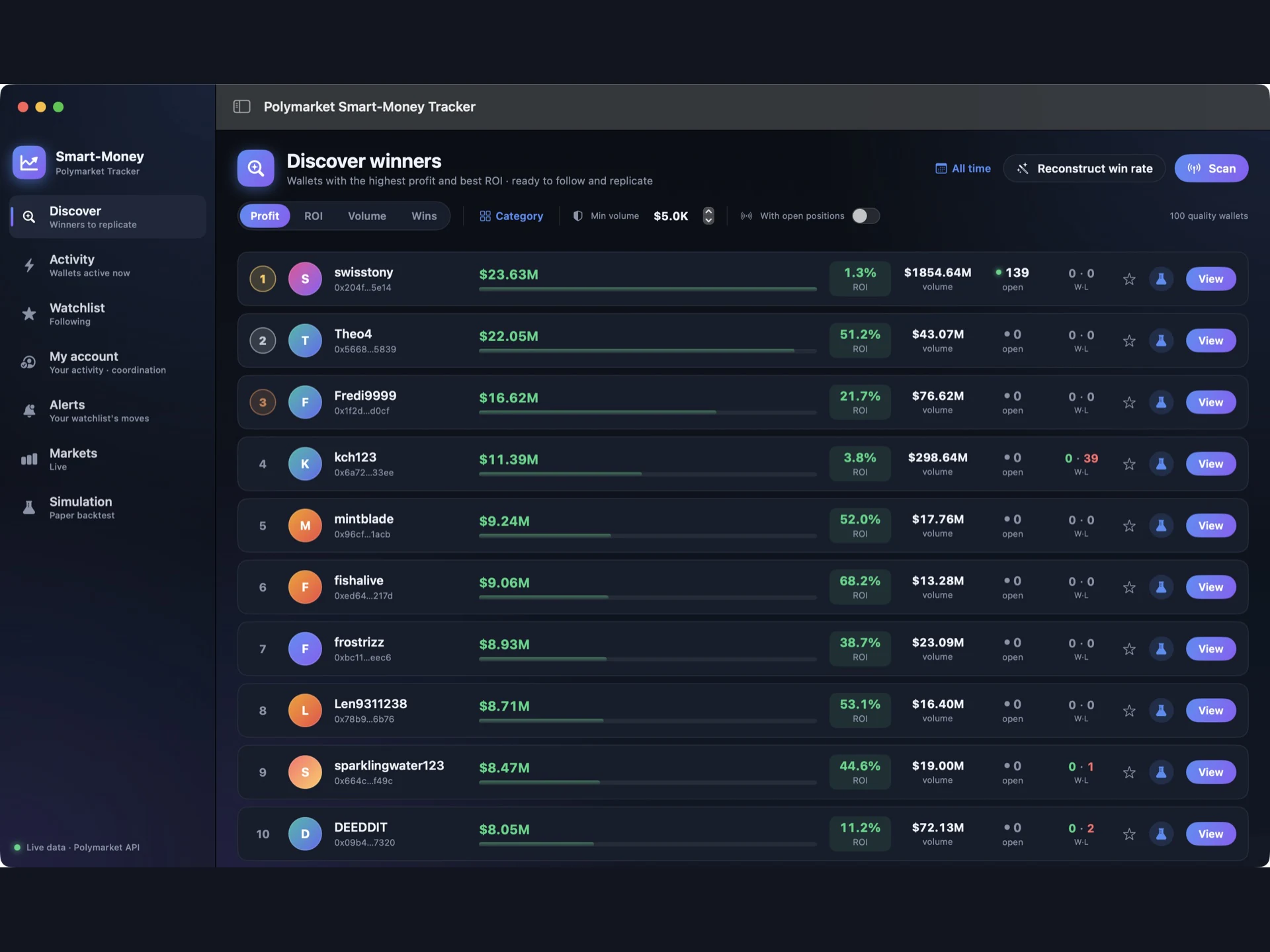
Scan Polymarket's public profit leaderboard and rank wallets by profit, ROI, volume or wins. Filter by category (Crypto, Sports, Politics, Economy, Culture, Other), set a minimum volume, or show only wallets with open positions. From any row you can follow the wallet, open its full profile or send it straight to the simulator.
02. Live activity leaderboard
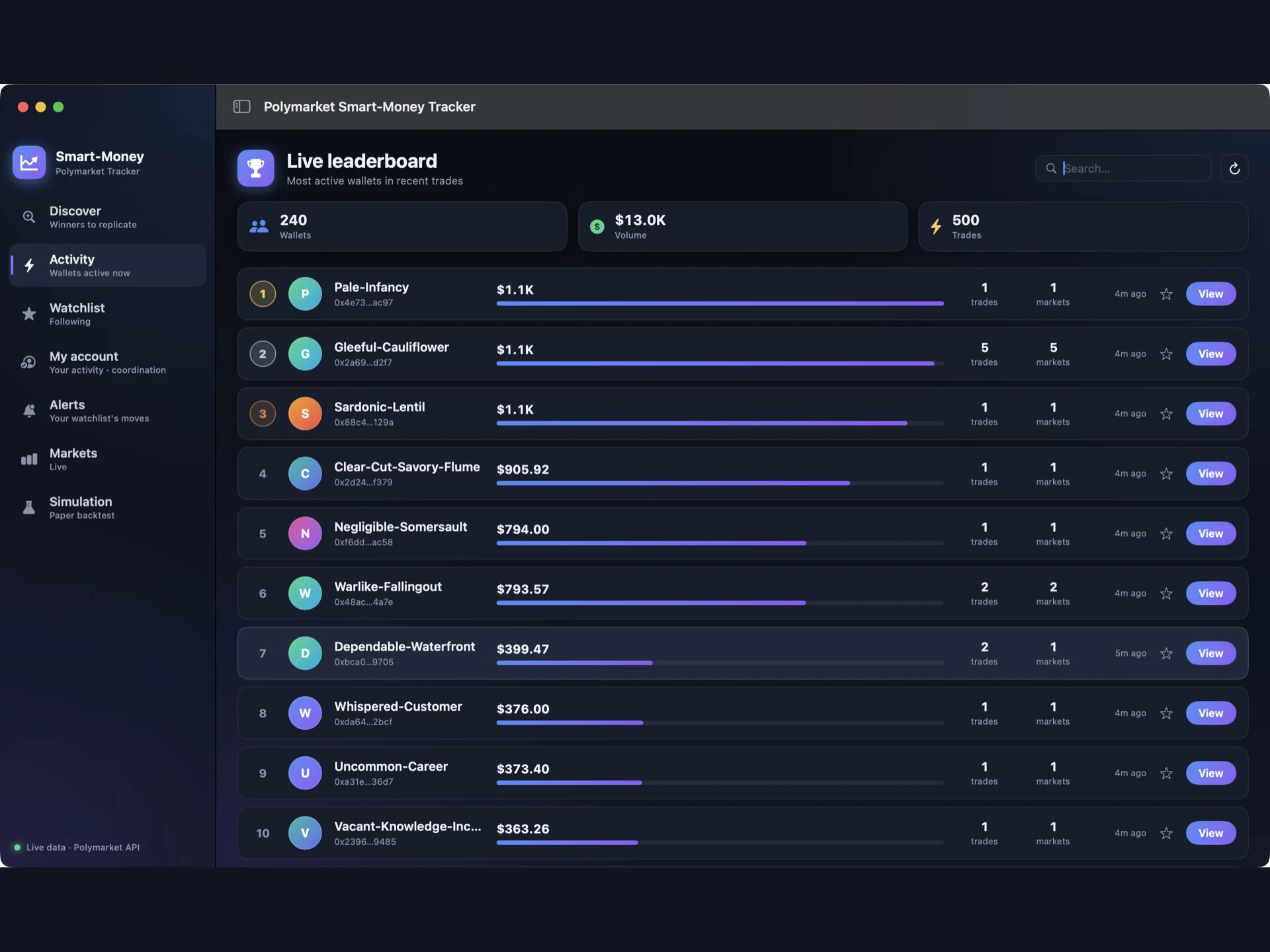
See which wallets are trading right now. The live leaderboard aggregates the most recent trades into volume, trade count and distinct markets per wallet, with a search box and one-click follow.
03. A watchlist with a true win rate
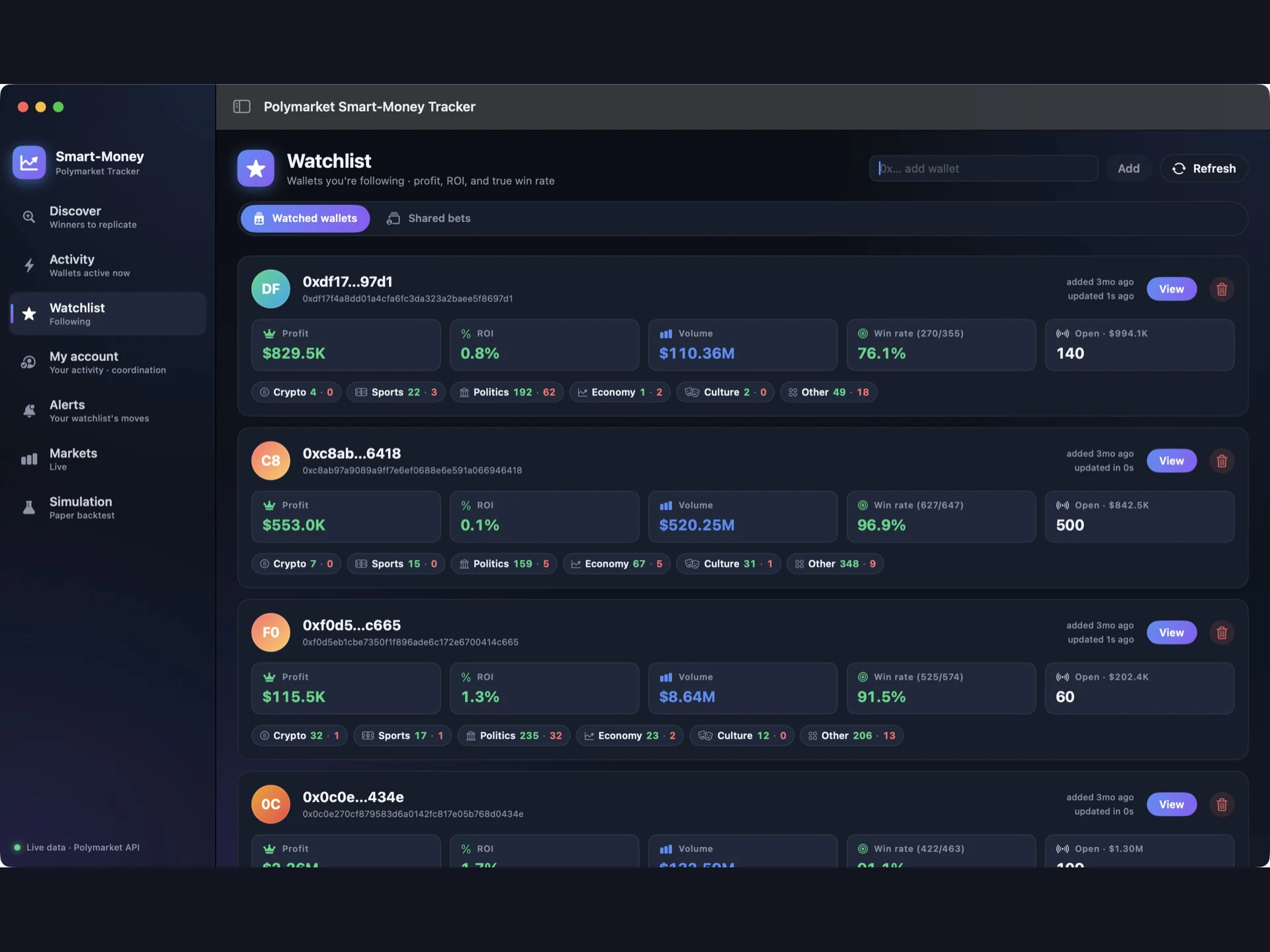
Follow any wallet by address or with one click from the leaderboard. Each card shows all-time profit, ROI, volume, open exposure and a win rate reconstructed from the wallet's full trade history, so redeemed winning bets are not hidden. A per-category strip shows where each trader wins and loses.
04. Shared bets: where smart money agrees
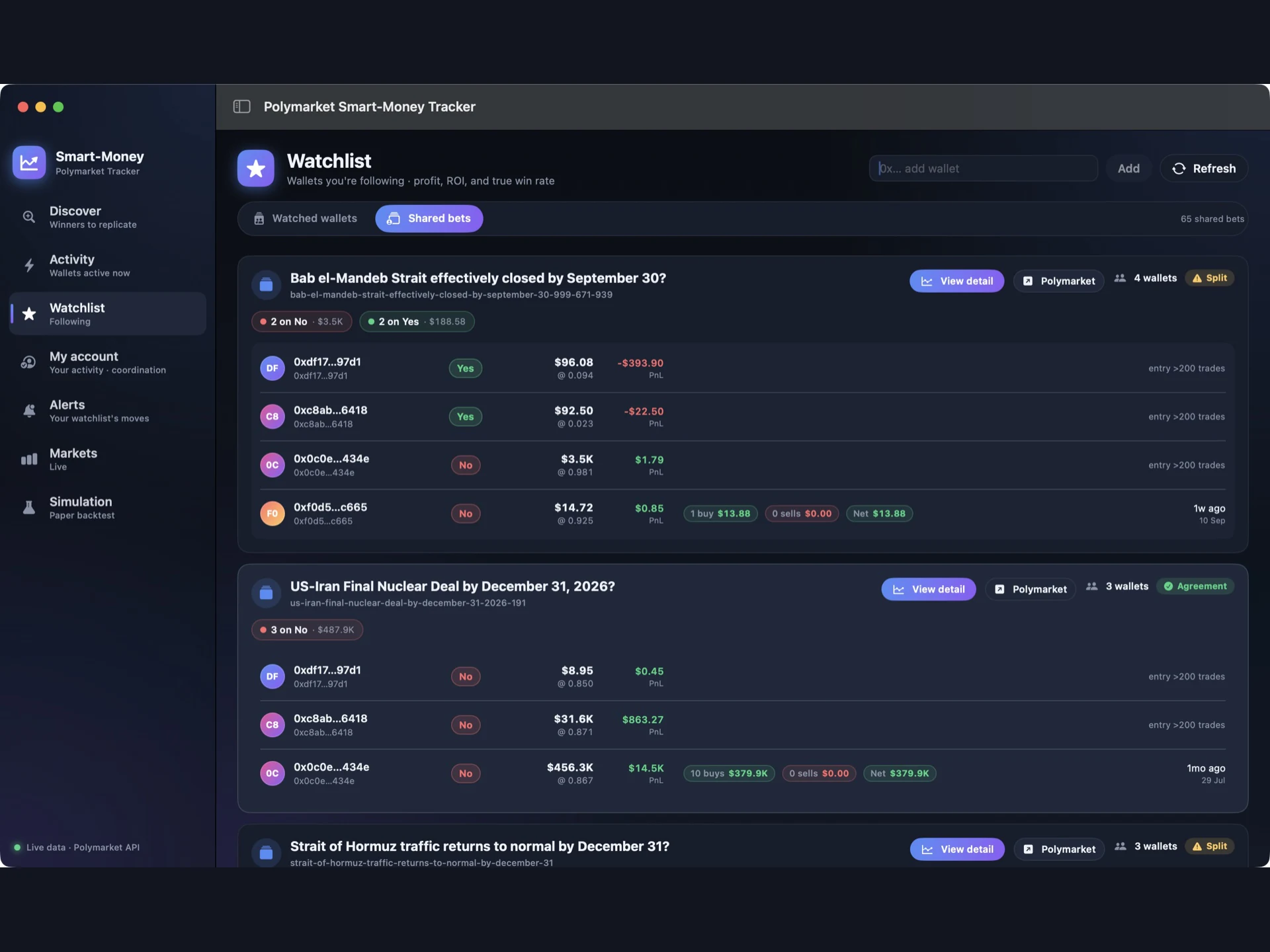
See every open market held by two or more of the wallets you follow, sorted by how many share it. Agreement and Split badges show at a glance whether they are on the same side. Each row shows position value, average entry price, PnL, entry date and a buy/sell trade-flow summary.
05. Activity timeline for every shared market
Open any shared bet to see an interactive Swift Charts timeline: one lane per wallet, colored by BUY/SELL × Yes/No and sized by USDC. Hover a point for the exact shares, price, amount and date, and switch between 6h, 24h, 7d, 30d and All.
06. Full wallet profiles
Every wallet has a detail view with all-time profit, ROI and volume, the reconstructed true win rate, unrealized PnL, open positions, wins/losses by category, current positions and recent trades.
07. My account: how coordinated you are
Paste your own proxy wallet address and the app lines up your open positions against your watchlist: for each market, who is in favor (same side as you) and who is against, with their stake. The address is stored only on the user's Mac.
08. Alerts from your watchlist
A live feed of buys and sells from the wallets you follow, flagged NEW since your last visit. Filter by market, by wallet, or only moves in markets where you hold a position, and see instantly whether each move is on your side.
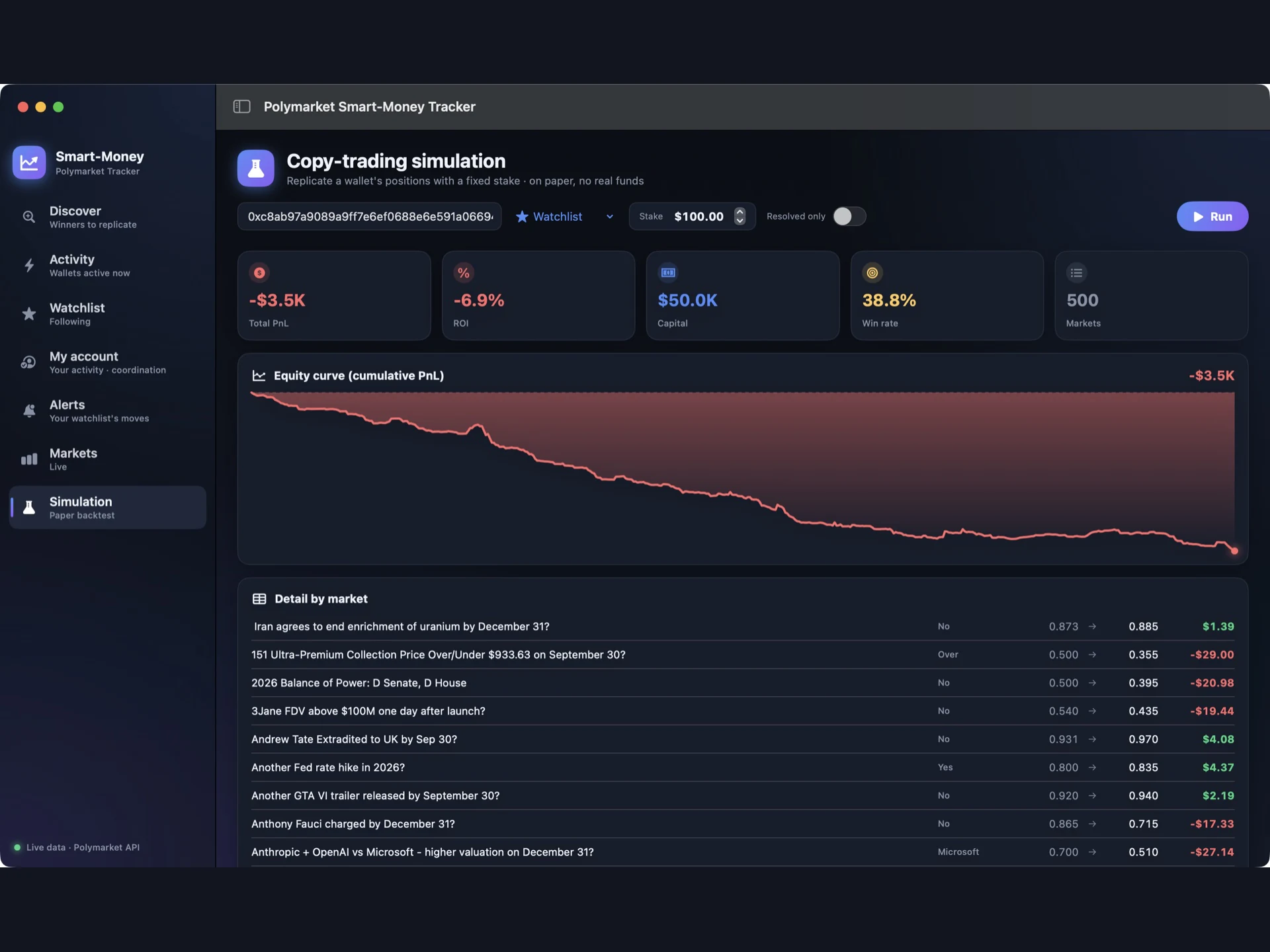
09. Paper copy-trading simulation
Pick any wallet, set a fixed stake per market and run a paper backtest: total PnL, ROI, capital deployed, win rate, number of markets, a cumulative equity curve and a per-market breakdown. It is on paper only, so no funds and no signing are involved.
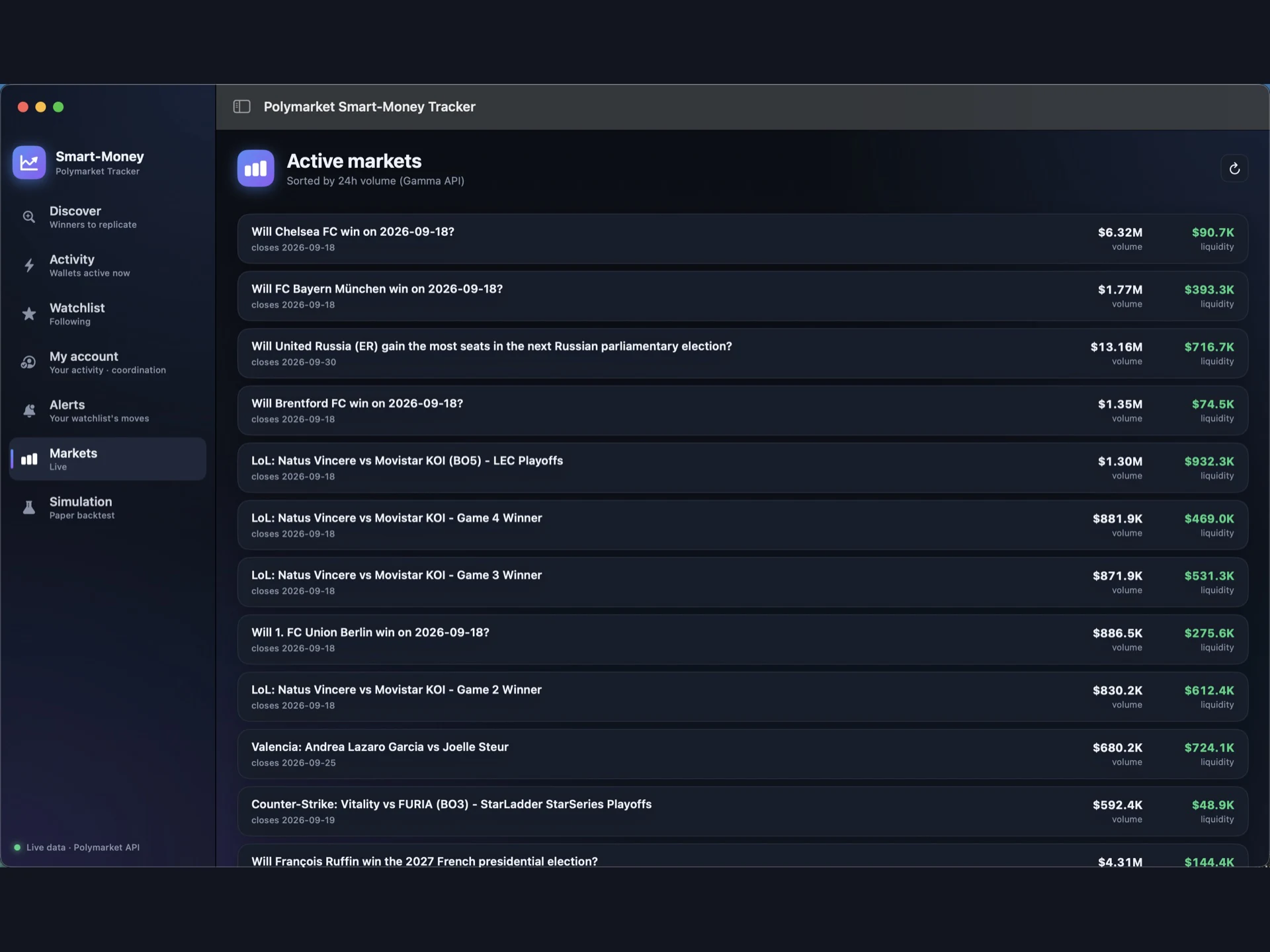
10. Live markets
Browse active markets sorted by 24-hour volume, with liquidity and closing date.
What you get
- Full Swift source code (11 files) of a native macOS app: SwiftUI + Swift Charts
- Swift Package Manager project, ready to open in Xcode or build from Terminal
build-app.sh to build, package, ad-hoc sign and launch the .app- Polymarket public API client with retry/backoff (Data, Gamma, CLOB, leaderboard)
- True win-rate reconstruction engine with an incremental local cache
- Paper copy-trading simulation engine
- English README with setup, customization, project structure and known limitations
- The 10 screenshots shown on this page
Installation
- Unzip the package and open the
PolymarketTracker folder in Terminal.
- Run
./build-app.sh. It compiles a release build, packages PolymarketTracker.app and opens it.
- Or open
Package.swift in Xcode and press Run.
The README covers custom bundle IDs, SDK selection, the project structure and where to change branding, colors and market categories.
Requirements
- macOS 13 Ventura or later
- Xcode 16+ or the Command Line Tools with Swift 6
- Internet connection. No API keys, accounts or wallets required
Tech stack
- Swift 6 toolchain, SwiftUI, Swift Charts, async/await
- Swift Package Manager project with no external dependencies
- Polymarket public read-only APIs: Data, Gamma, CLOB and leaderboard
Important
This is an unofficial project. It is not affiliated with, endorsed by or certified by Polymarket, and the name is used only to describe the data source. The app is an analytics and research tool. It does not place trades, and nothing in it is financial advice. Past performance of any wallet does not guarantee future results. Wallet data shown in the screenshots is public on-chain data from Polymarket's public APIs.



 −73%
−73%