Why Atlas?
Atlas is not a UI kit or a landing page: it is a working directory and booking marketplace. Every screen below is backed by a real PostgreSQL schema (48 Drizzle tables), server actions, role-based auth and rich seed data, so you can launch a city guide, a rentals marketplace, a restaurant directory, an events platform or any niche directory in days instead of months.
It covers the whole cycle: a visitor searches on the map, picks a place, books and pays, the owner confirms from their dashboard, the directory admin keeps the commission, and the platform runs many directories as a SaaS. No WordPress, no plugins, no page-builder lock-in.
- Standalone Next.js 16 + React 19 application, 100% TypeScript, all UI and code in English
- Multi-tenant SaaS: subdomains or custom domains per directory, plans, trials and billing
- Four booking modes: nightly stays, single-day reservations, hourly slots and event tickets with QR check-in
- Stripe Checkout + Stripe Connect payouts, cash on arrival, coupons, optional fees, deposits, refunds and a commission ledger
- Search with clustered map, filters, saved searches, compare and "search as I move the map"
- 32-block page builder, branding, navigation, texts and feature toggles — all from the admin
- Per-listing design studio so every owner can style their own public page
- Reviews with photos and replies, bookmarks, claims, reports, leads, messaging and notifications
- Editable email templates, blog, newsletter and contact forms
- 12 niche templates (city guide, rentals, restaurants, events, services, wellness…) switchable at any time
- Light and dark mode, fully responsive, accessible components, SEO metadata and OpenGraph
- Realistic demo data: 24 listings, bookings, orders, reviews and conversations
01. See it work: a visitor books in seconds
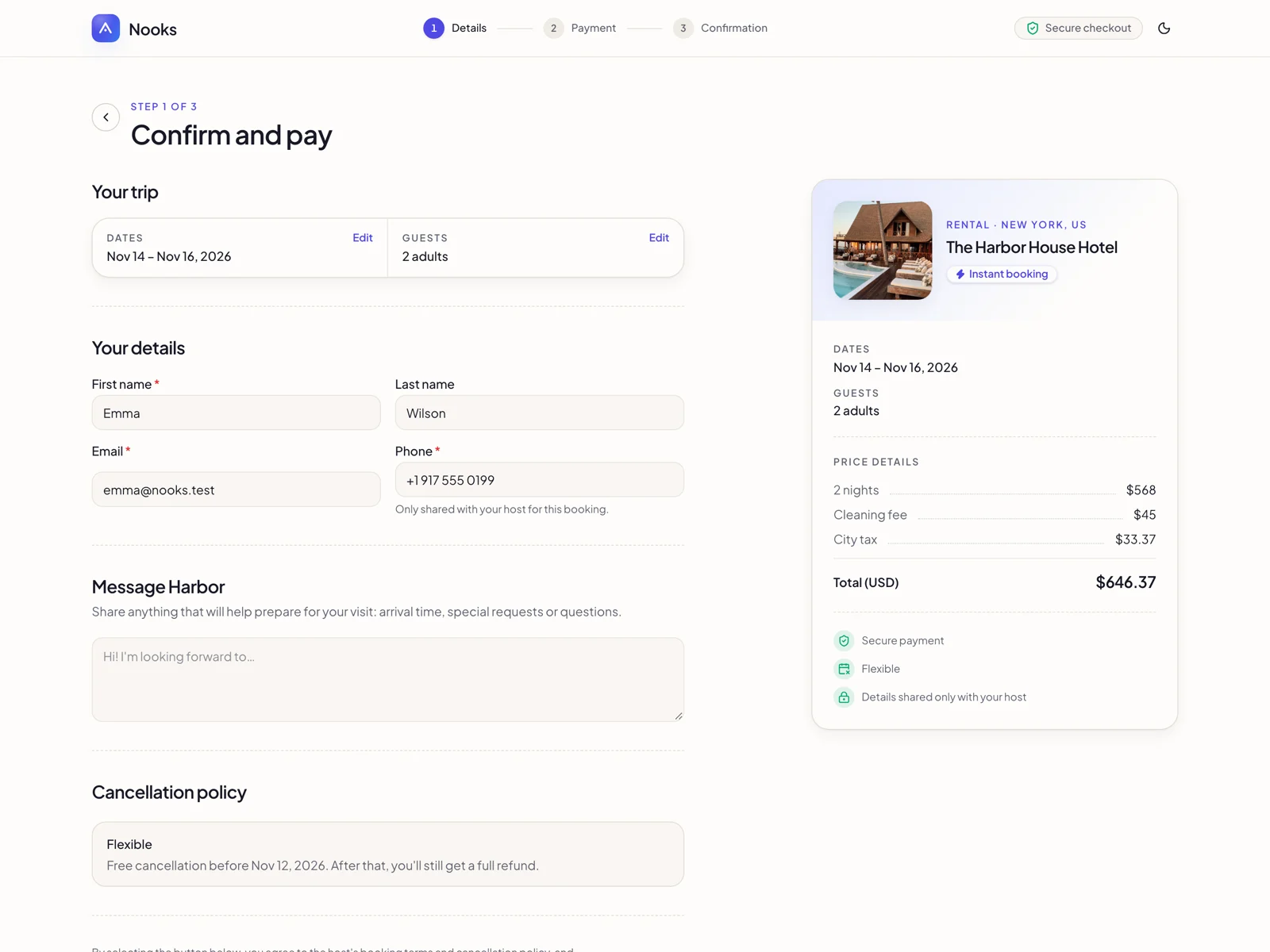
The booking widget adapts to the listing type. Stays show a date-range calendar with nightly pricing, cleaning fees and city tax. Restaurants and services show a single day with time slots computed from opening hours, slot length and existing bookings. Events sell tickets with a capacity counter that can never oversell. Guests can check out without an account when you allow it, apply coupons and pay by card or cash on arrival.
02. A home page that sells your directory

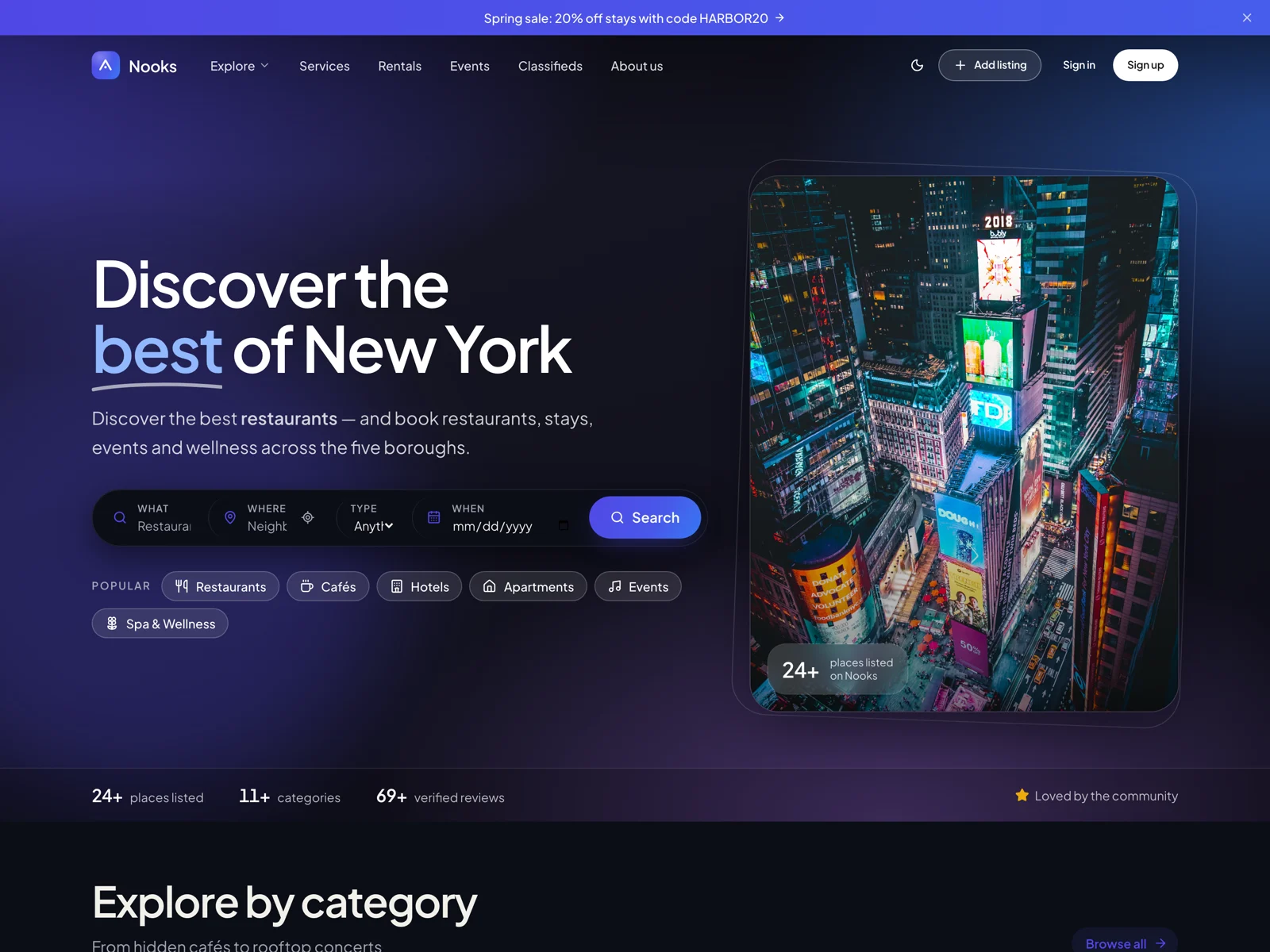

The home page is built from blocks: hero with search, categories, featured listings, how it works, stats, regions, upcoming events, reviews and a call to action. Reorder, hide or restyle each block from the page builder; every headline and label is editable.
03. Map search with filters

Keyword, location, listing type, category, dates, guests, price, open-now, instant booking and verified filters. Results sync with a clustered Leaflet map (OpenStreetMap tiles by default, any tile provider via an environment variable). Visitors can save a search and get notified, or compare listings side by side.
04. Listing pages owners are proud of

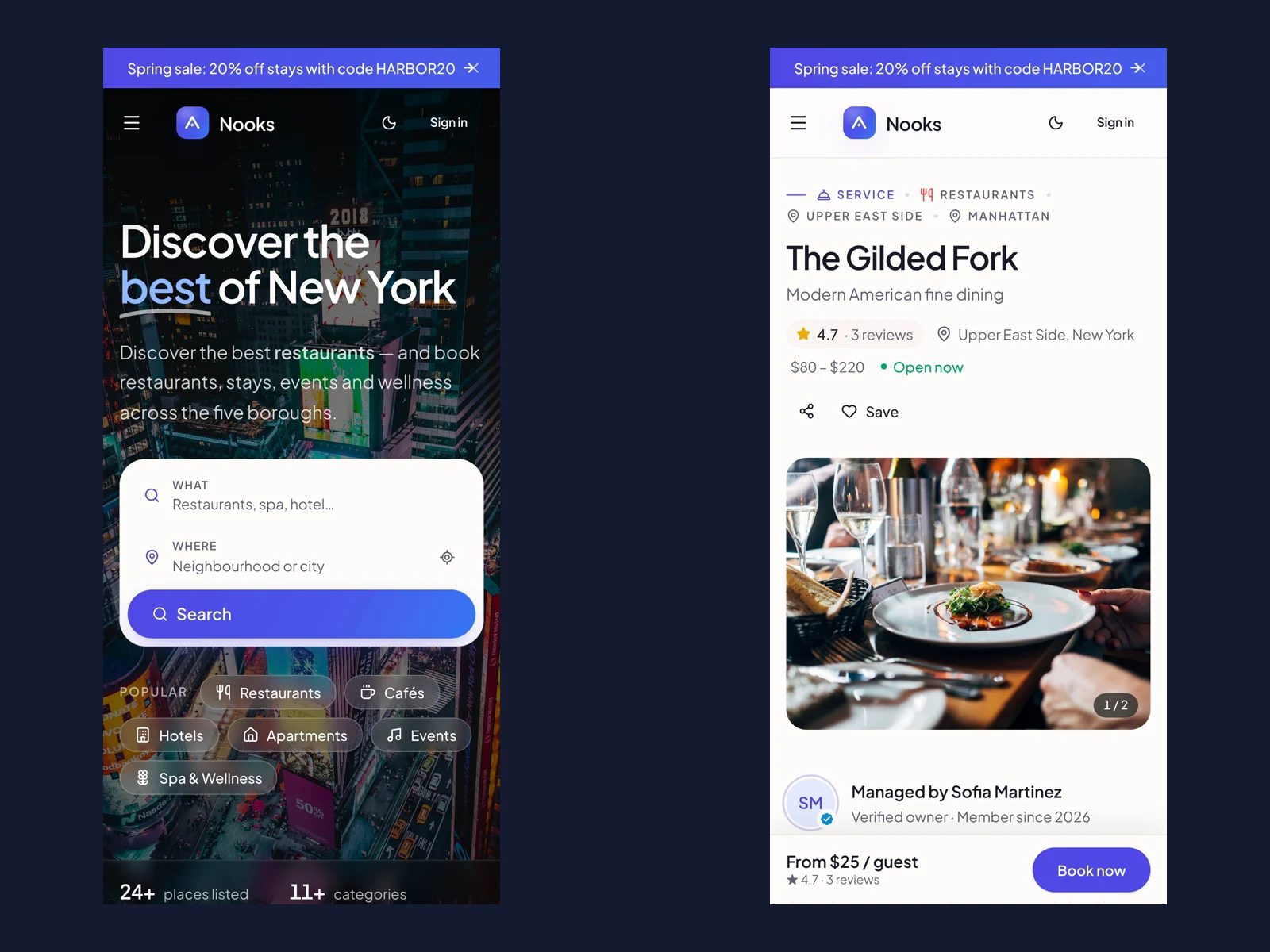
Gallery, verified badge, rating, price range, open-now status, amenities, custom fields, menu or services with prices, video, location map, opening hours, FAQ, host card, reviews and a persistent booking sidebar. Owners can reorder sections, add custom blocks and change the layout from their own design studio.

05. Owner dashboard: a real business cockpit
Overview with revenue chart and upcoming bookings, listings manager, bookings with approve / decline / cancel / check-in, availability calendar with iCal import and export, messages, leads, reviews, statistics, coupons, promotions (featured / sponsored), team members, wallet with Stripe Connect onboarding and packages.
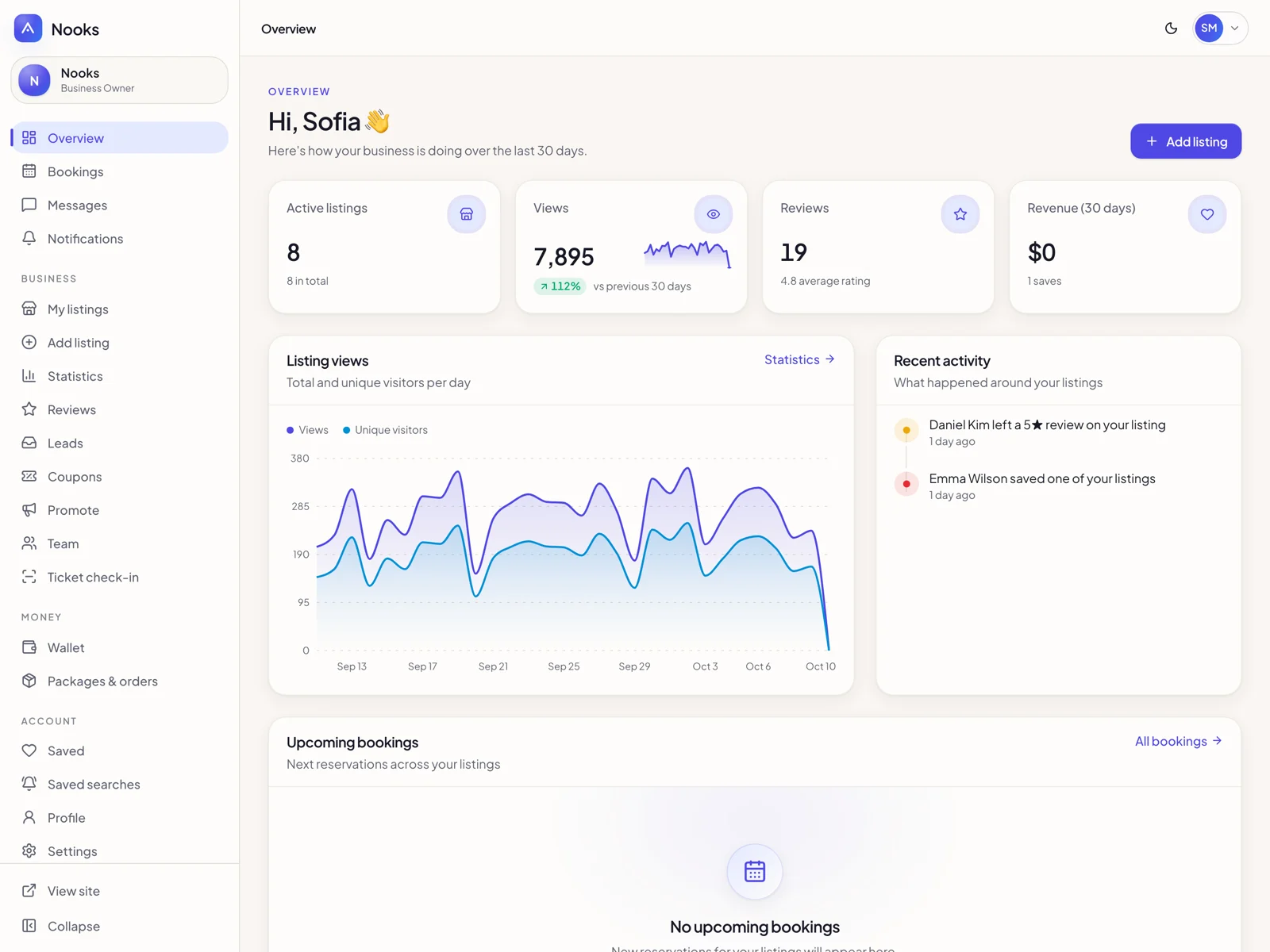
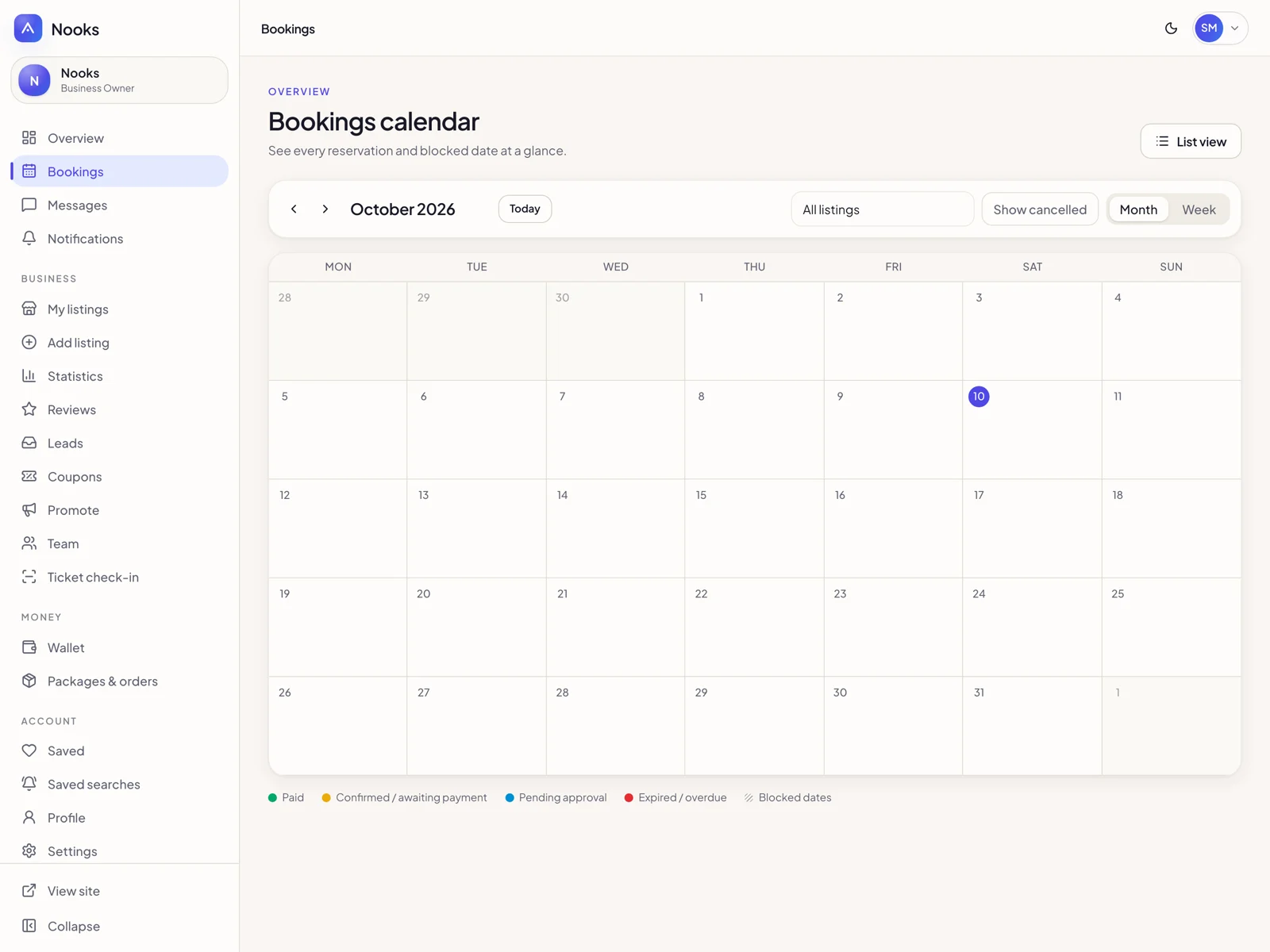
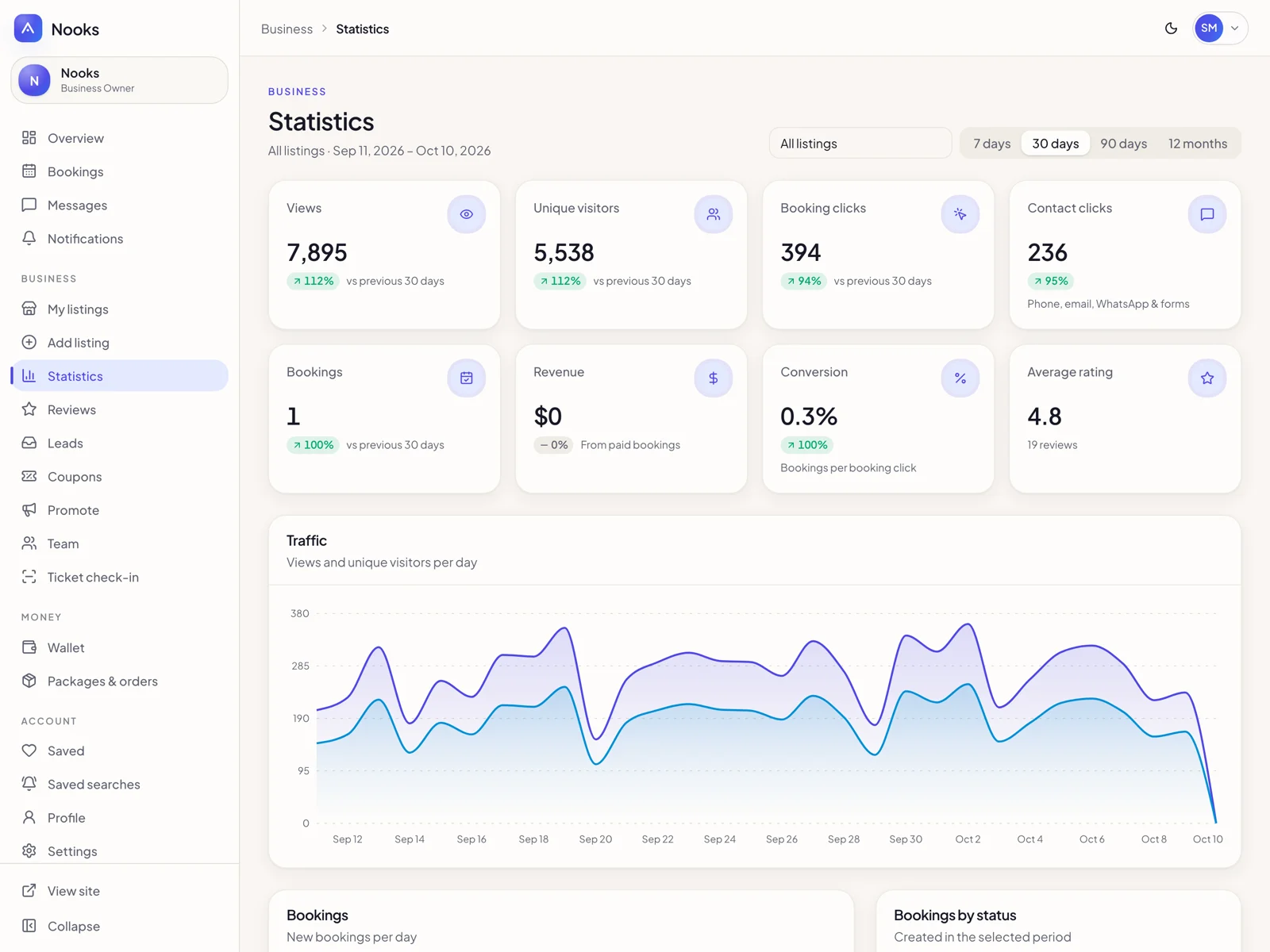
06. Directory admin: customize everything, no code
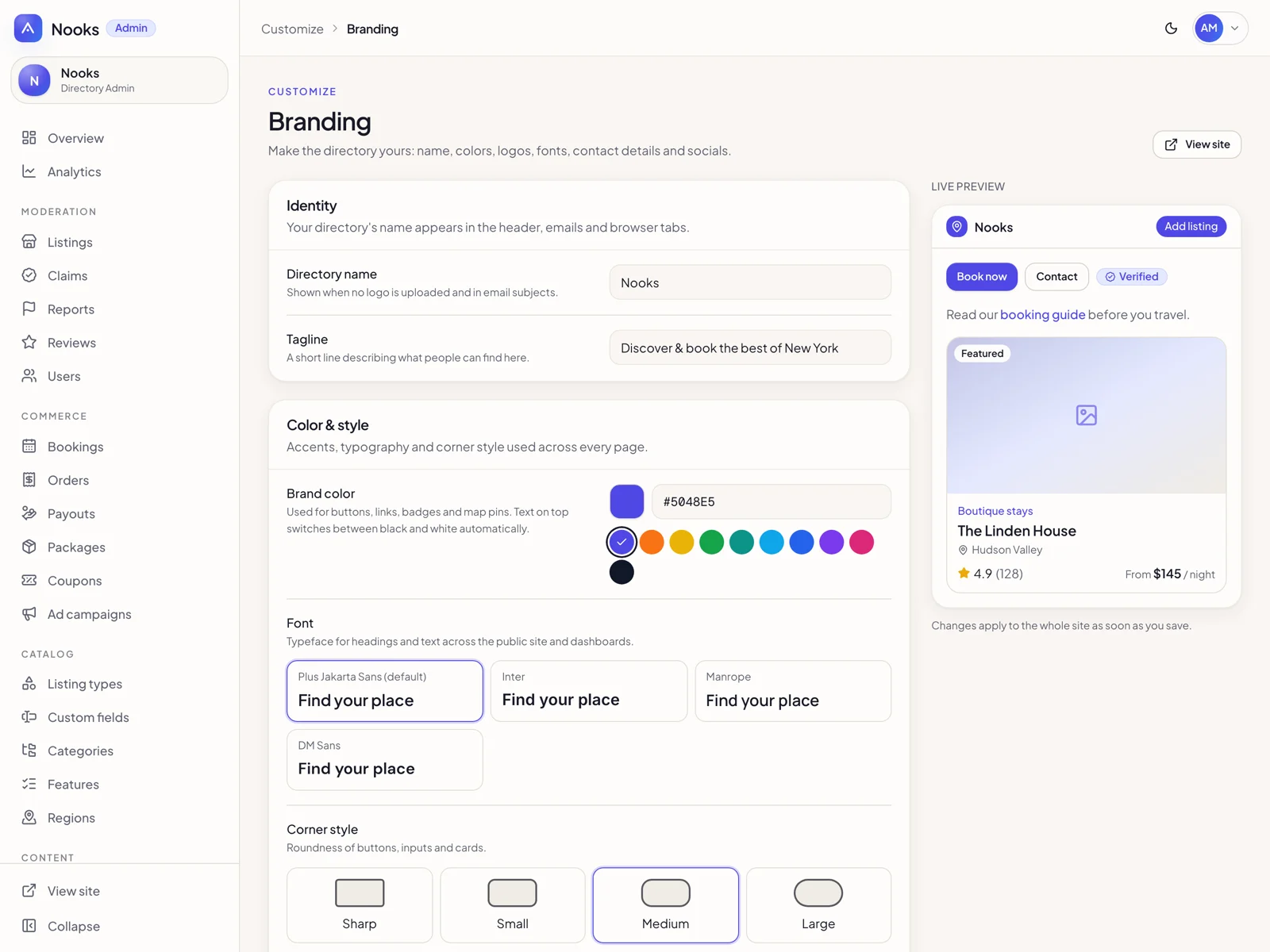
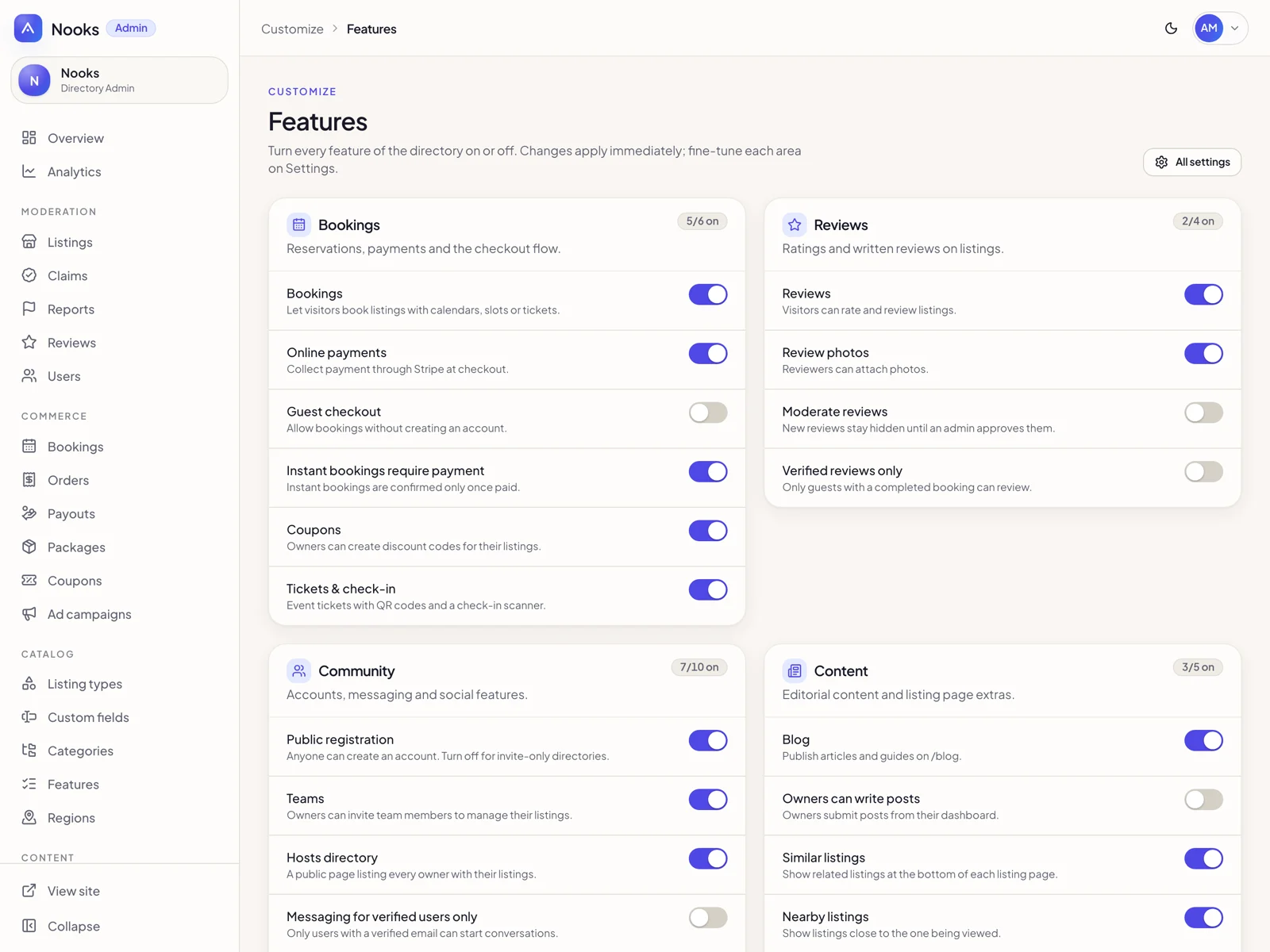
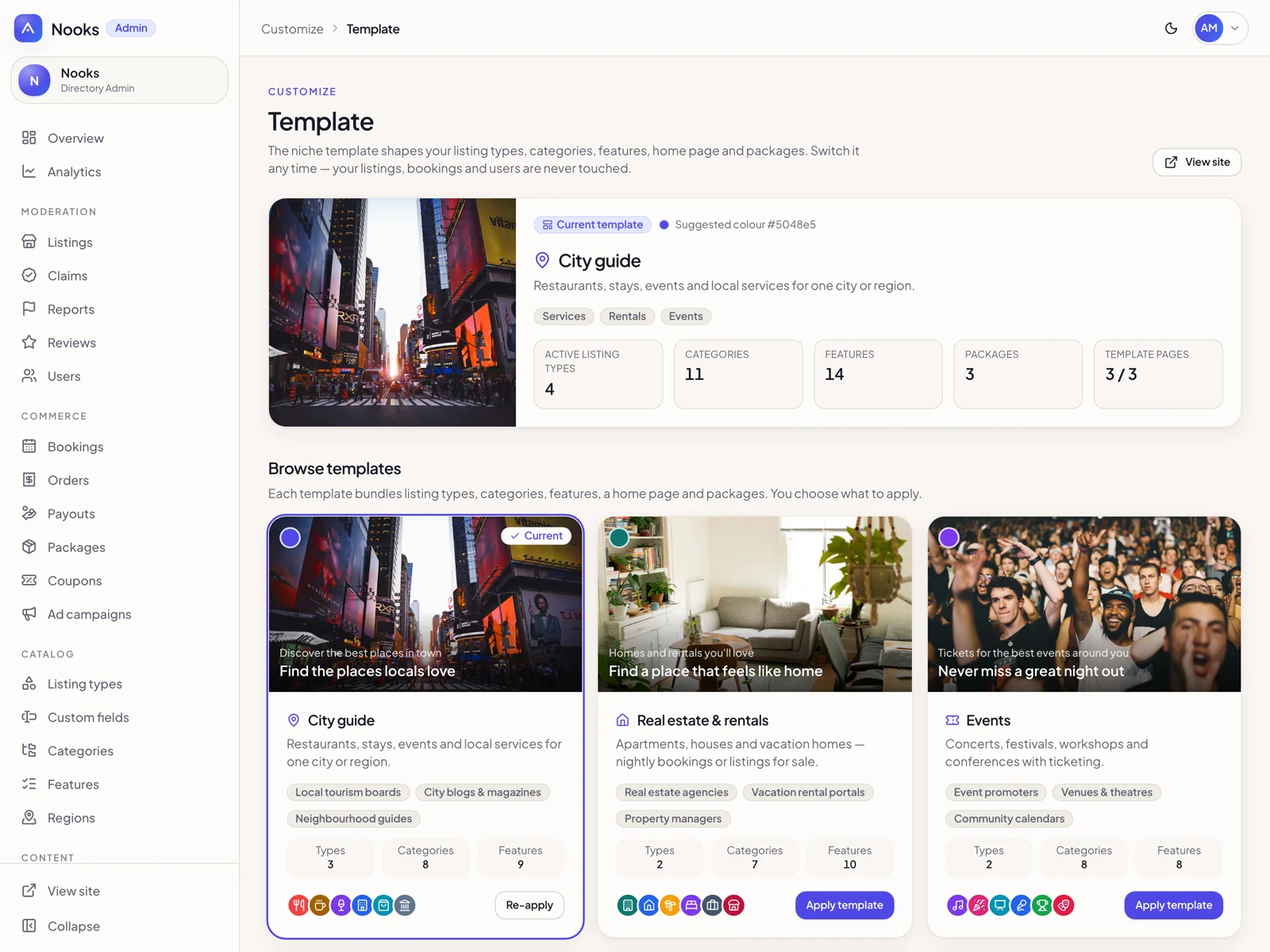
Branding (logo, colors, fonts, radius), appearance (header style, announcement bar, footer), mega-menu navigation, 127 editable text strings, feature toggles, email templates, listing types with custom fields and taxonomies, packages, ads, coupons, moderation, claims, reports, users, analytics and tools. Switch between the 12 niche templates at any time.
07. Run it as a SaaS
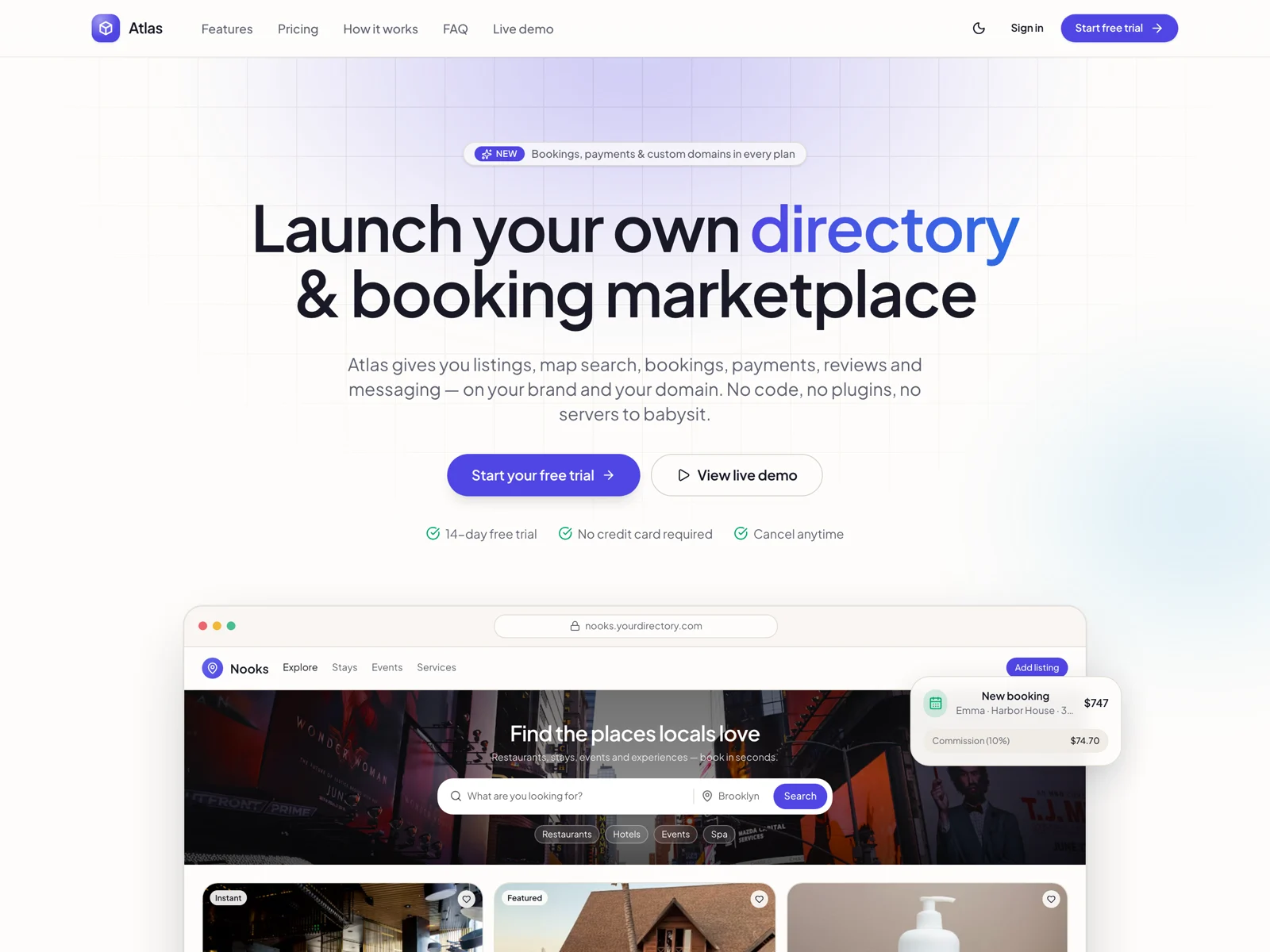
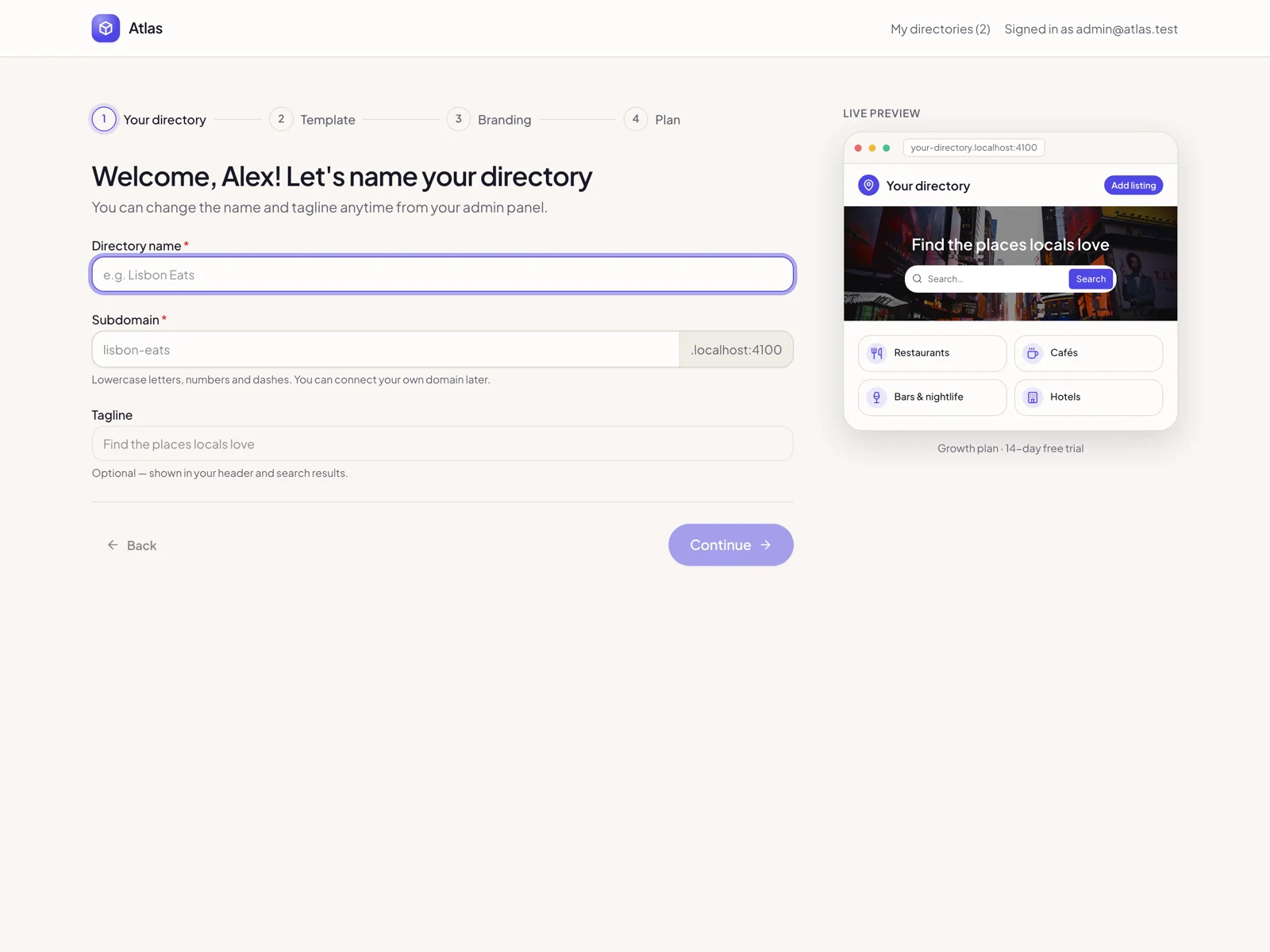
The root domain is your platform: marketing site, pricing, signup and a 4-step onboarding that provisions a new directory on its own subdomain in seconds. Plans with limits (listings, users, features), trials, Stripe Billing and a platform super-admin to manage sites, users and plans. Or set TENANCY_MODE=single to run one directory on one domain.
08. Mobile, dark mode and accessibility
Every page works at phone width with no horizontal scroll, dark mode follows the system or a toggle, components come from an original design system (indigo brand, warm neutrals, Plus Jakarta Sans) with keyboard navigation and focus states.
Feature breakdown by role
Visitors / guests: search with map and filters · saved searches · compare · bookmarks · book stays, slots or tickets · guest checkout · coupons · reviews with photos · messages with hosts · trips, tickets with QR and wallet
Owners: listings with gallery, custom fields, menu, FAQ, hours and video · bookings workflow · availability calendar + iCal · leads and messages · statistics · coupons and promotions · team members · design studio · Stripe Connect wallet · packages
Directory admins: branding, appearance, navigation, texts, features · page builder (32 blocks) · template switcher · listing types, fields, taxonomies · moderation, claims, reports, reviews · bookings, orders, payouts · packages, coupons, ads · email templates · analytics · media library · domain
Platform admins: sites, users, plans, suspension, billing
Tech stack
- Next.js 16 (App Router, server actions, proxy-based tenant routing)
- React 19, TypeScript, Tailwind CSS v4
- PostgreSQL 16 + Drizzle ORM (48 tables, migrations included)
- Better Auth (email + password, sessions, password reset)
- Stripe (Checkout, Billing, Connect) with a test mode that works without keys
- Zod 4 validation, Leaflet + supercluster maps, Recharts
- nodemailer (console transport in dev), node-ical / ical-generator, QR codes
- Vitest (55 tests), ESLint, GitHub Actions CI, Docker + docker-compose, standalone output, health endpoint
What you get
- Full source code of the platform, directory, owner dashboard and admin
- 12 niche templates with seed scripts and demo content
- Database migrations, cron jobs and a storage driver interface (local / S3-compatible)
- Architecture guide, README with deployment, Stripe and SMTP setup, privacy and data guide, third-party notices, changelog
Install in 4 steps
pnpm install- Copy
.env.example to .env and set DATABASE_URL, ROOT_DOMAIN and BETTER_AUTH_SECRET pnpm db:migrate && pnpm seedpnpm dev and open the platform at your root domain and the demo at demo.<root domain>
Requirements
- Node.js 20 or newer and pnpm
- PostgreSQL 16 (Docker compose included)
Demo accounts (after seeding)
The seed creates demo accounts for local evaluation: admin@atlas.test (platform + directory admin), sofia@nooks.test (owner) and emma@nooks.test (guest). There is no built-in password: set DEMO_PASSWORD in your .env, or let the seed generate a random one and save it to .seed-credentials.txt. The seed refuses to run in production without an explicit DEMO_PASSWORD.
Good to know
- Clean-room build: original code and original design system, no GPL theme code or licensed assets
- Stripe is optional; without keys the checkout runs in a test mode you can demo immediately
- All public strings are editable from the admin, so you can translate the front end to any language
- Security defaults: rate-limited sign-in and password reset, security headers, startup configuration check, no analytics or third-party scripts loaded by default


 −27%
−27%