Why Cursa?
Cursa is a finished native Android app, not a UI kit. It brings together everything a university student usually tracks in separate places: grades by term cuts, class schedule, absences, deadlines, expenses and notes. Everything is stored on the phone: no accounts, no server and no backend costs. Publish it under your own brand or use it as the base for your own education app.
- 5 main tabs (Home, Academic, Schedule, Expenses and Settings) plus quick notes, a grade calculator, study resources and a help center
- Weighted average by term cut and the exact grade you need on what's left to reach your goal
- Configurable grading scale: 0 to 5, 0 to 100 or custom, with a passing grade and a goal
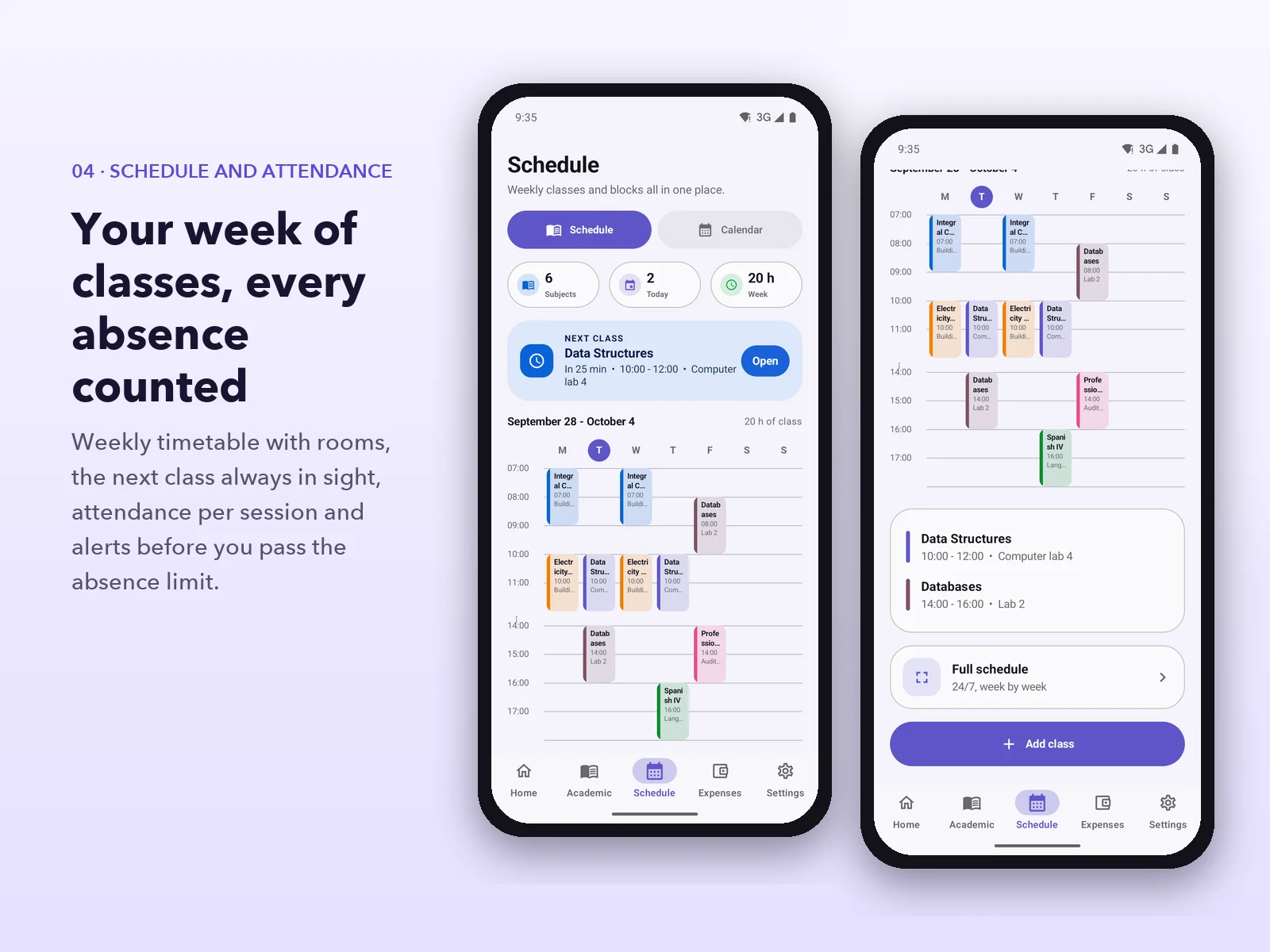
- Weekly schedule, attendance per class and an absence limit per subject
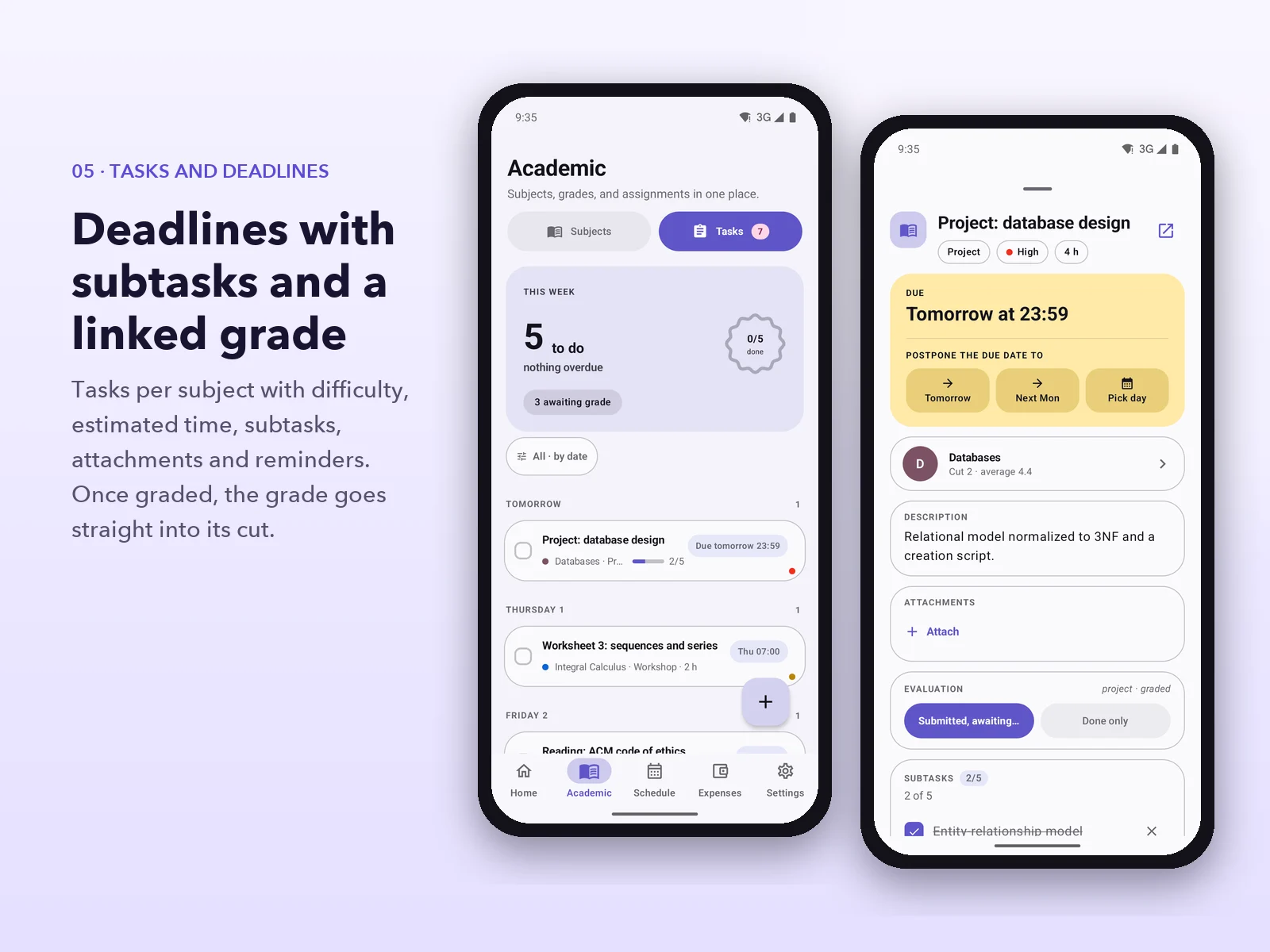
- Tasks with subtasks, attachments, difficulty, estimated time and a linked grade
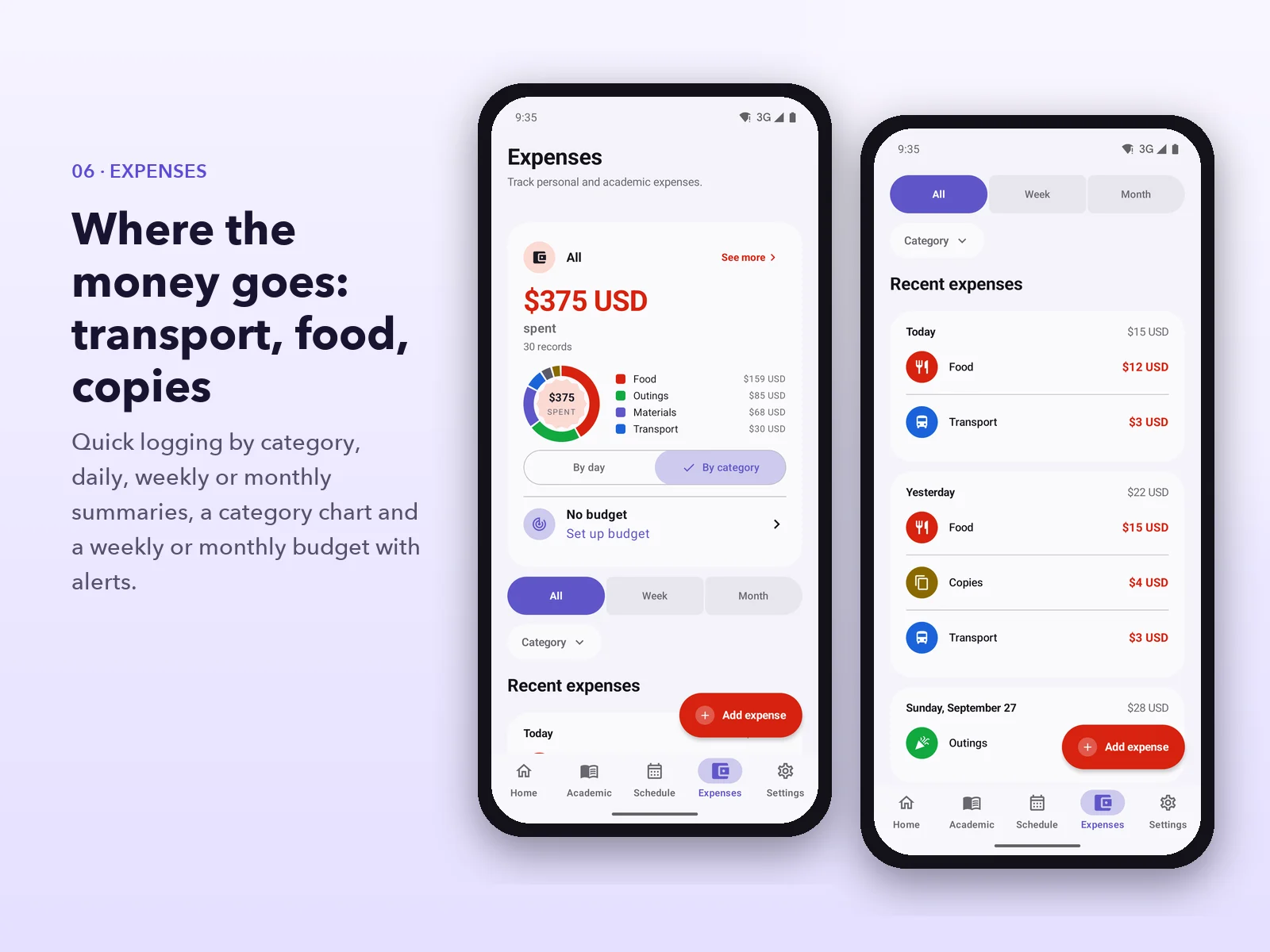
- Expense tracking by category with a weekly or monthly budget
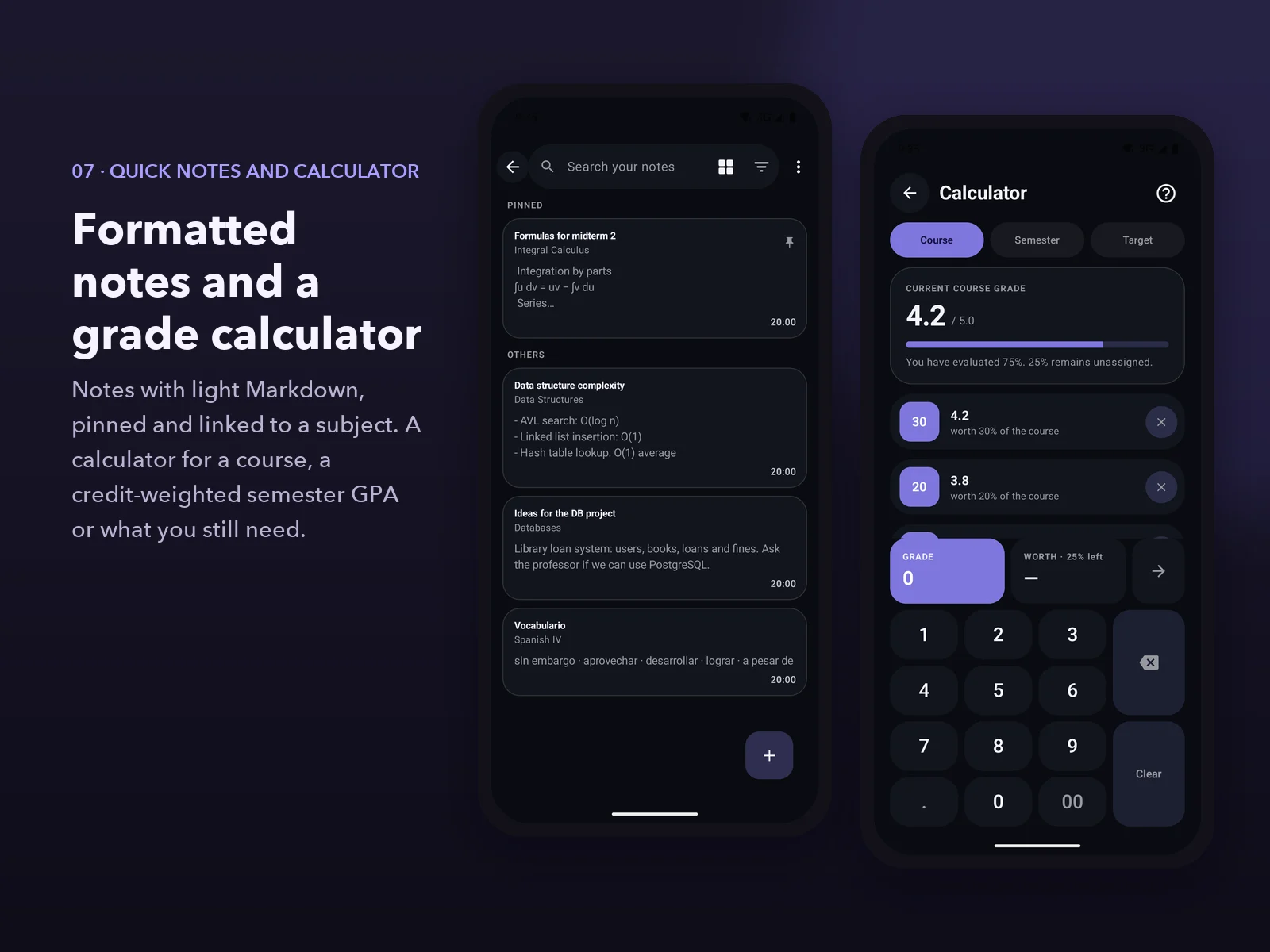
- Quick notes with formatting, pinned and linked to a subject
- Reminders for classes and deadlines, a daily summary and quiet hours
- 28 themes, light, dark and OLED modes, and accessibility options
- Bilingual: English and Spanish, with more than 2,100 translated strings
- 100% offline, with file backups and CSV export
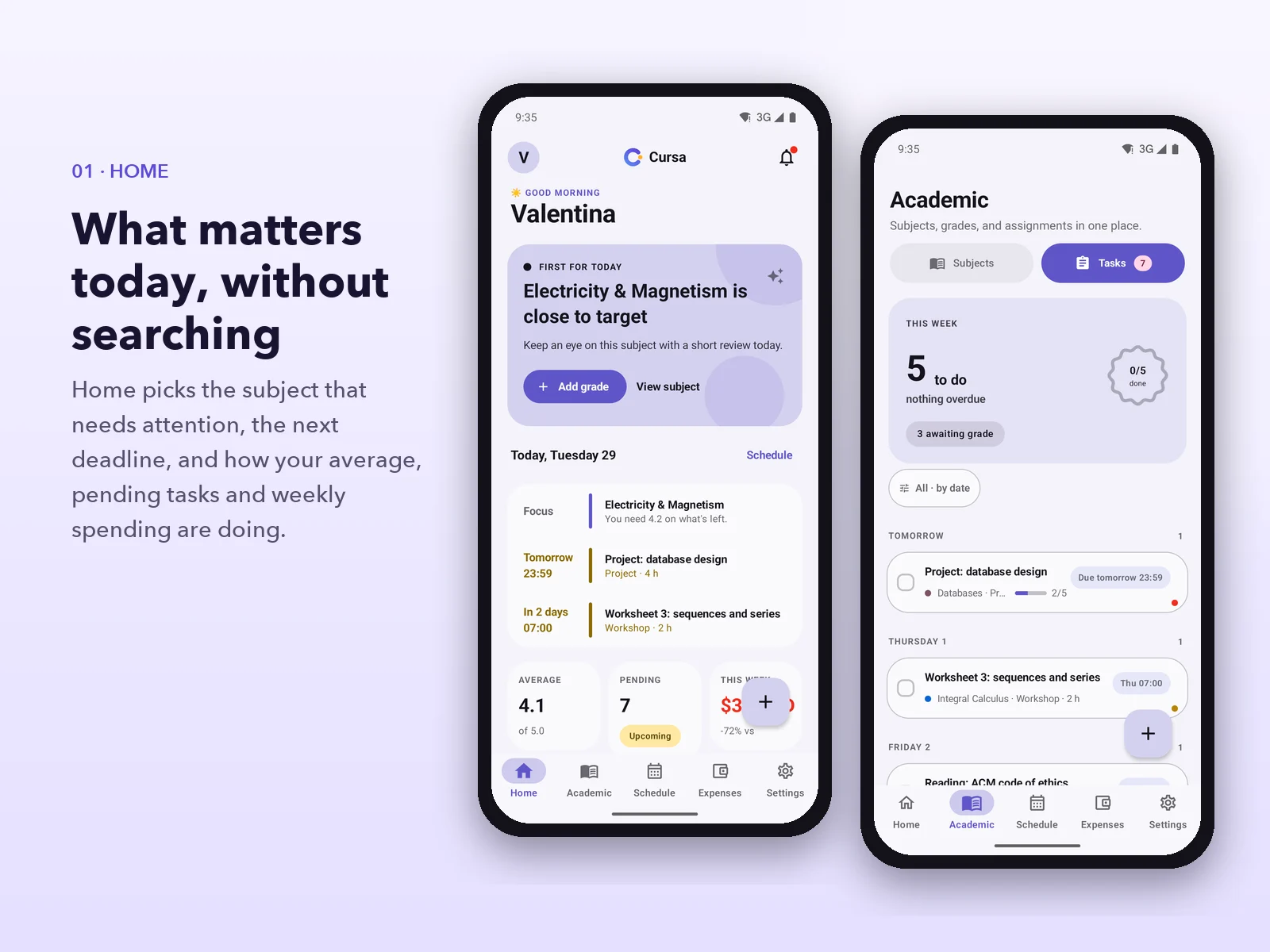
01. A home screen that decides for you
Home greets the student and shows what matters today: the subject that needs attention, the next deadline, and a summary of the average, pending tasks and this week's spending. A floating button logs a grade, a task, an expense or a note without leaving the screen.
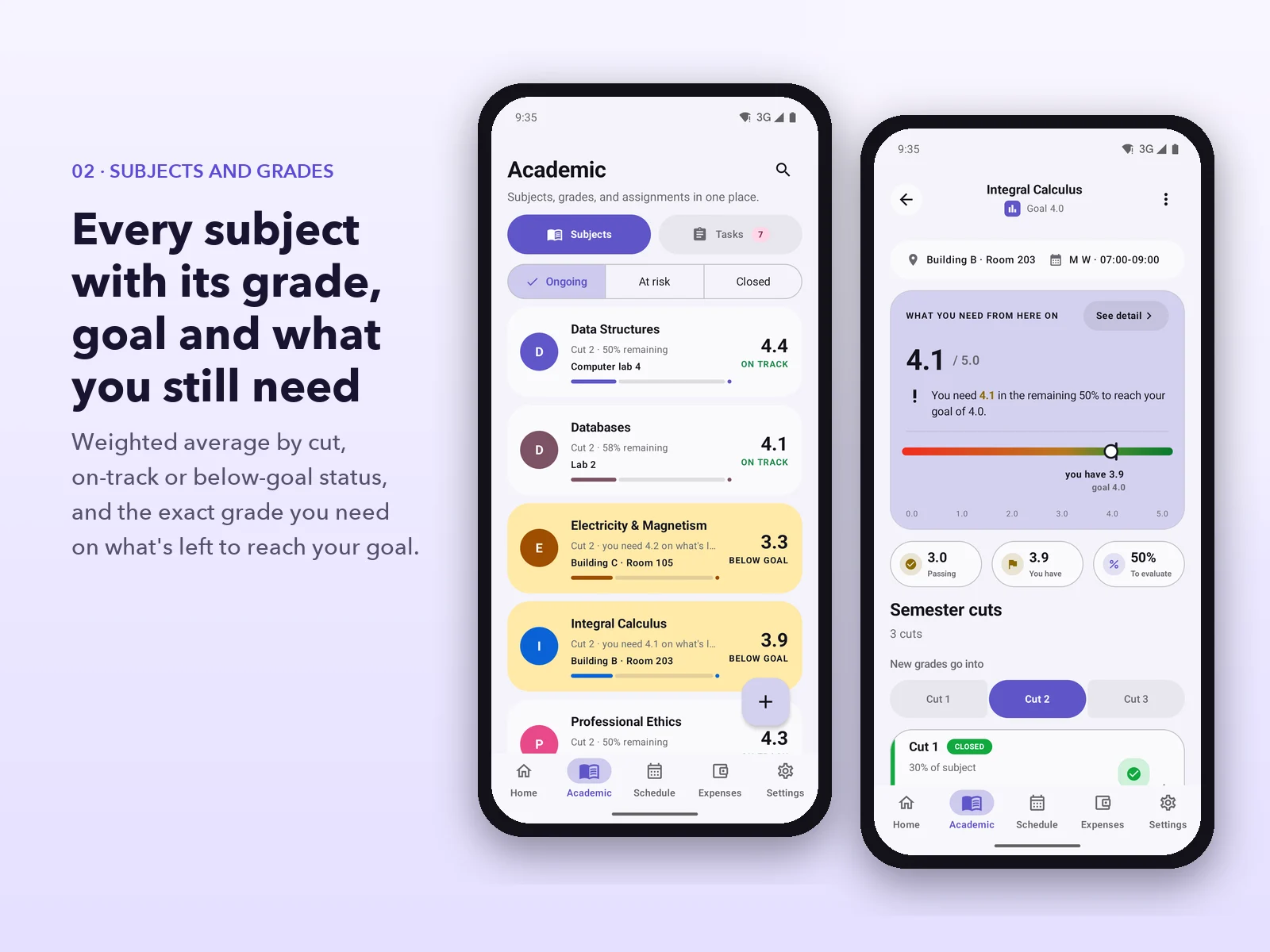
02. Every subject with its grade, goal and what's left
Each subject shows its average, the current cut, the room and a clear status: on track or below goal. Inside, a panel shows the grade needed on what's left to evaluate, where the student stands against the passing grade and the goal, and how much is still to be evaluated.
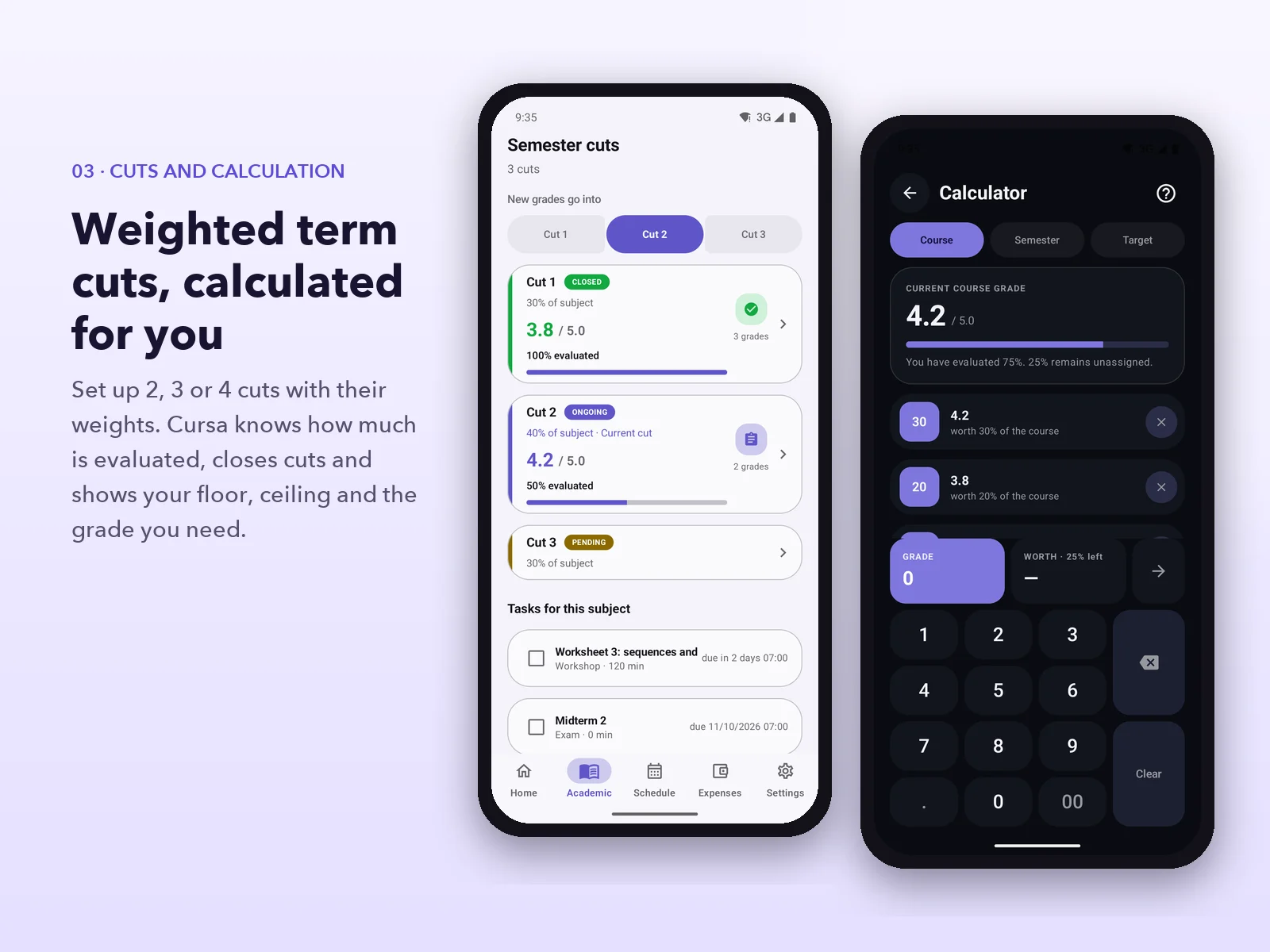
03. Weighted term cuts, calculated automatically
The semester is split into 2, 3 or 4 cuts, each with its own weight. Cursa knows how much of each cut has been evaluated, lets you close cuts and choose which one new grades go into. The built-in calculator handles three cases: a course grade, a credit-weighted semester GPA and the grade still needed to hit a goal.
04. Schedule and attendance
A weekly timetable with rooms and times, the next class always visible and a calendar with personal events. Each class is marked as attended, absent, cancelled or rescheduled, with the reason for an absence, and the app warns before the subject's absence limit is reached.
05. Tasks and deadlines
Tasks grouped by date, with type, difficulty, estimated time, subtasks with progress and attachments. A deadline can be postponed with one tap, and once a task is graded its grade goes into the subject's cut.
06. Student expenses
Quick logging with categories designed for college life (transport, food, copies, materials, outings), daily, weekly or monthly summaries, a category chart and a budget with an alert as it approaches the limit. The currency follows the app language or can be chosen in Settings.
07. Quick notes and grade calculator
Notes with light formatting (headings, bold, lists), pinned to the top and linked to a subject, with a trash bin and reminders. The grade calculator also works for courses that aren't registered in the app.
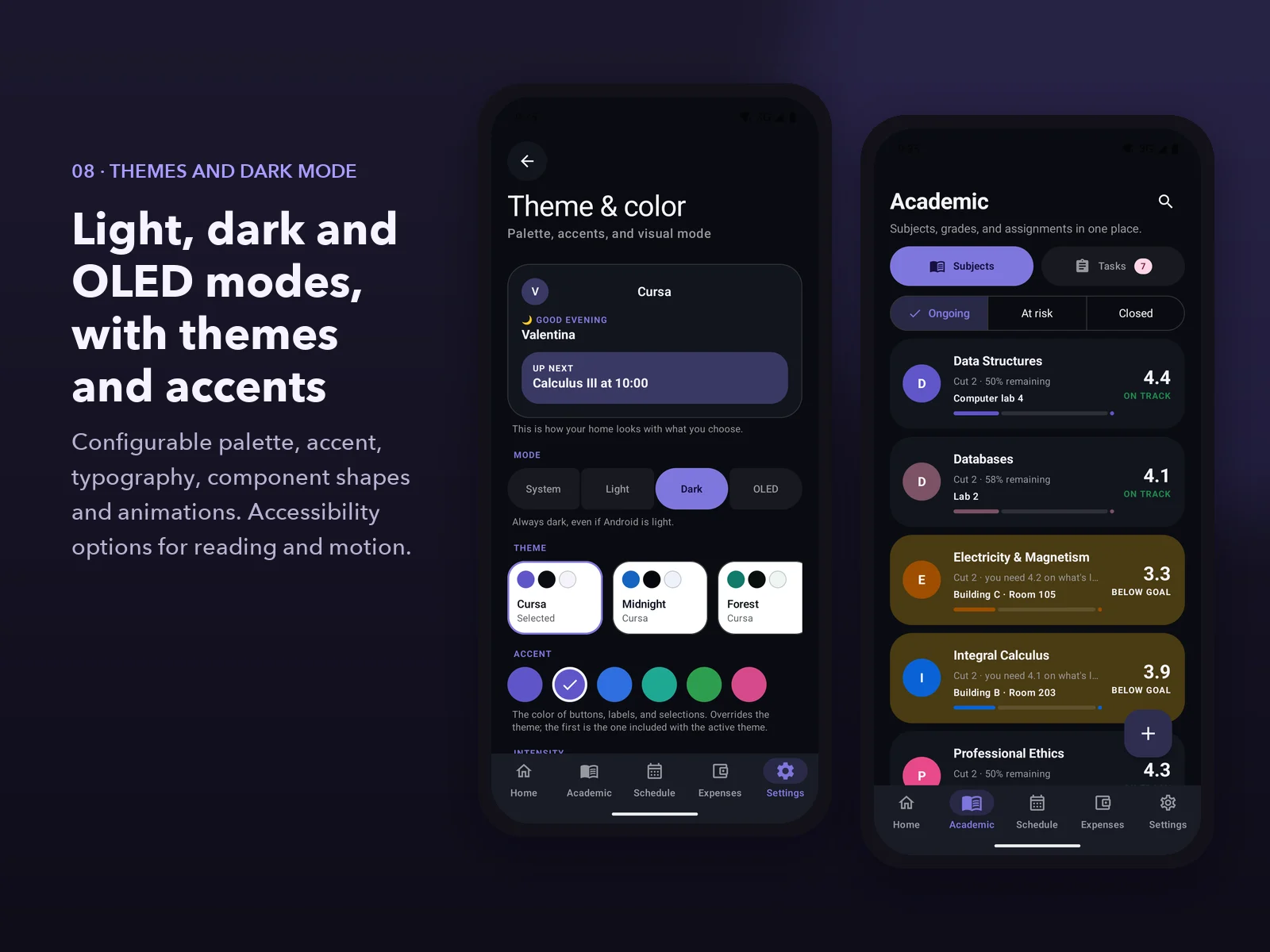
08. Themes and dark mode
28 themes with light, dark and OLED modes, and configurable accent color, typography, component shapes and animations. Includes accessibility options for reading and reduced motion.
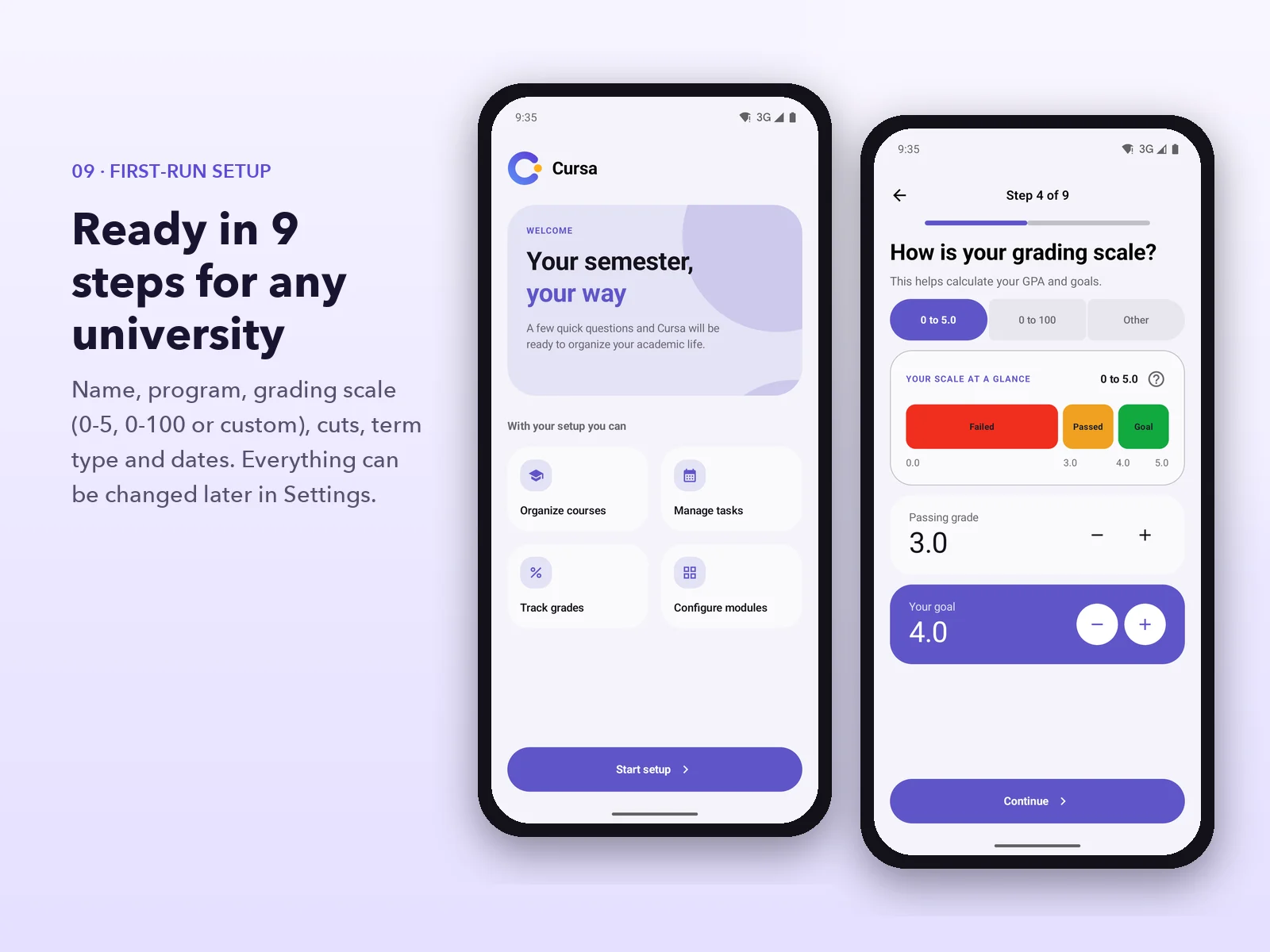
09. First-run setup in 9 steps
A guided setup asks for the name, program, grading scale, how the final grade is split, the term type (semester, trimester, quarter or annual), the dates and the reminders. It fits most universities, and everything can be changed later.
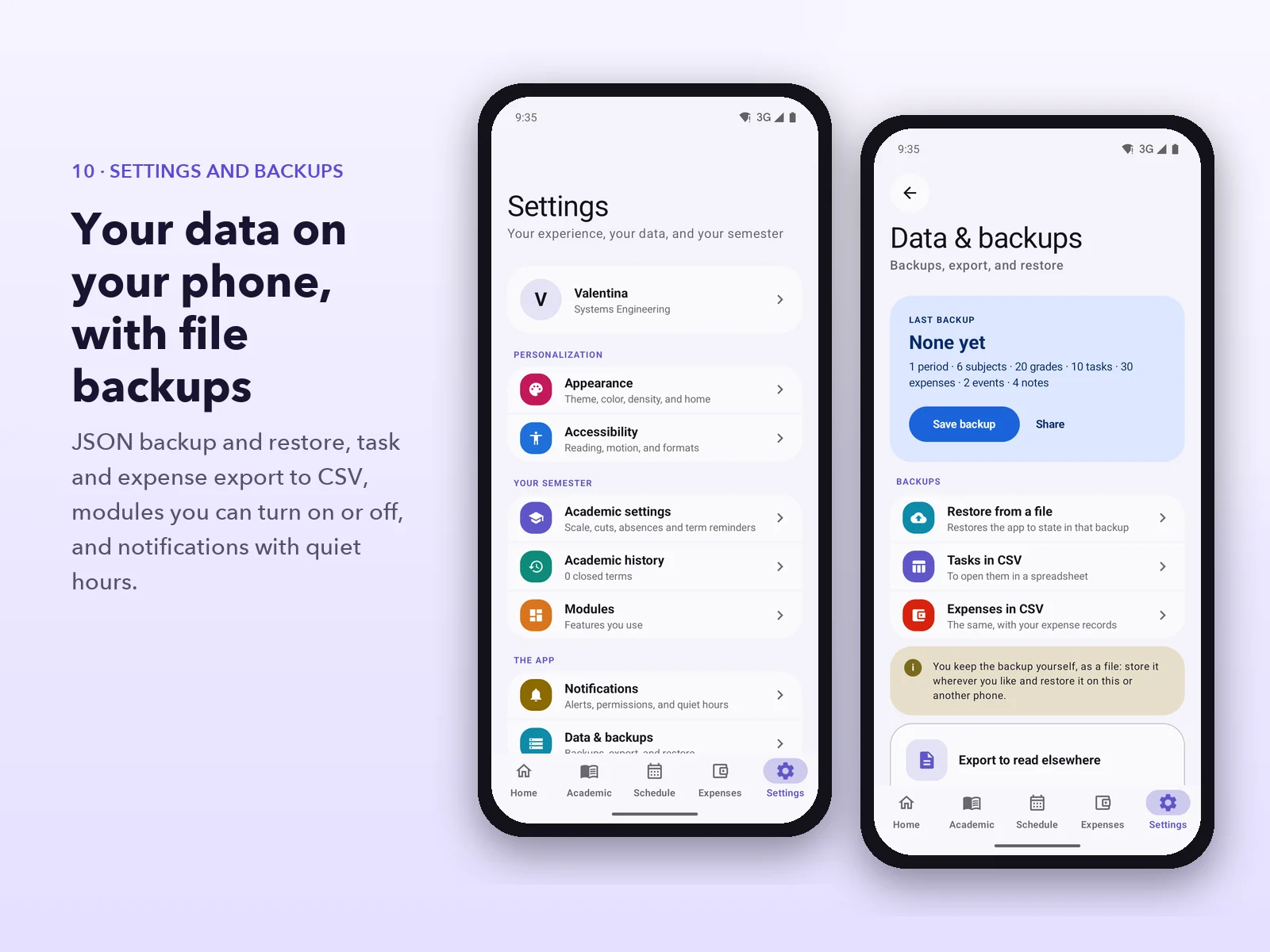
10. Settings and backups
Full backup to a JSON file that can be restored on the same or another phone, task and expense export to CSV, modules that can be turned off, configurable notifications and a history of closed terms.
What you get
- Full source code: 168 Kotlin files (about 25,000 lines), organized as data / domain / presentation per feature
- Android Studio project with Gradle Kotlin DSL and a version catalog
- Release APK (minified with R8) ready to install and try
- Room database with its exported schema, and preferences with DataStore
- 46 unit tests for the business rules (averages, attendance, reminders, notes and setup)
- Complete English and Spanish translations
- README with the architecture and formulas, plus guides for customization, data formats and publishing
- The 11 images from this listing
Installation
- Unzip the package. To try the app, install
Cursa-1.0.0.apk on a phone or emulator.
- Open the
source folder in Android Studio and let Gradle sync.
- Run the app, or build from the terminal with
./gradlew :app:assembleDebug.
- To change the name, application id, logo or colors, follow
docs/CUSTOMIZING.md. To publish on Google Play, see docs/RELEASE.md.
Requirements
- A recent Android Studio, JDK 17 and the Android SDK with platform 36
- The app runs on Android 8.0 (API 26) or later
- No server, API keys or third-party accounts needed
Tech stack
- Kotlin 2.2 and Jetpack Compose with Material 3
- Room (SQLite) and DataStore for local persistence
- Hilt for dependency injection, and Navigation Compose
- WorkManager and exact alarms for reminders
- kotlinx.serialization, coroutines and Coil
Important
The included APK is signed with a debug key so you can try it right away; to publish it on a store, sign it with your own key as described in docs/RELEASE.md. The side menu shows three sections marked "Soon" (Assignments, Cursa AI and Labs) that have no content yet. The data shown in the images is sample data.



 −33%
−33%