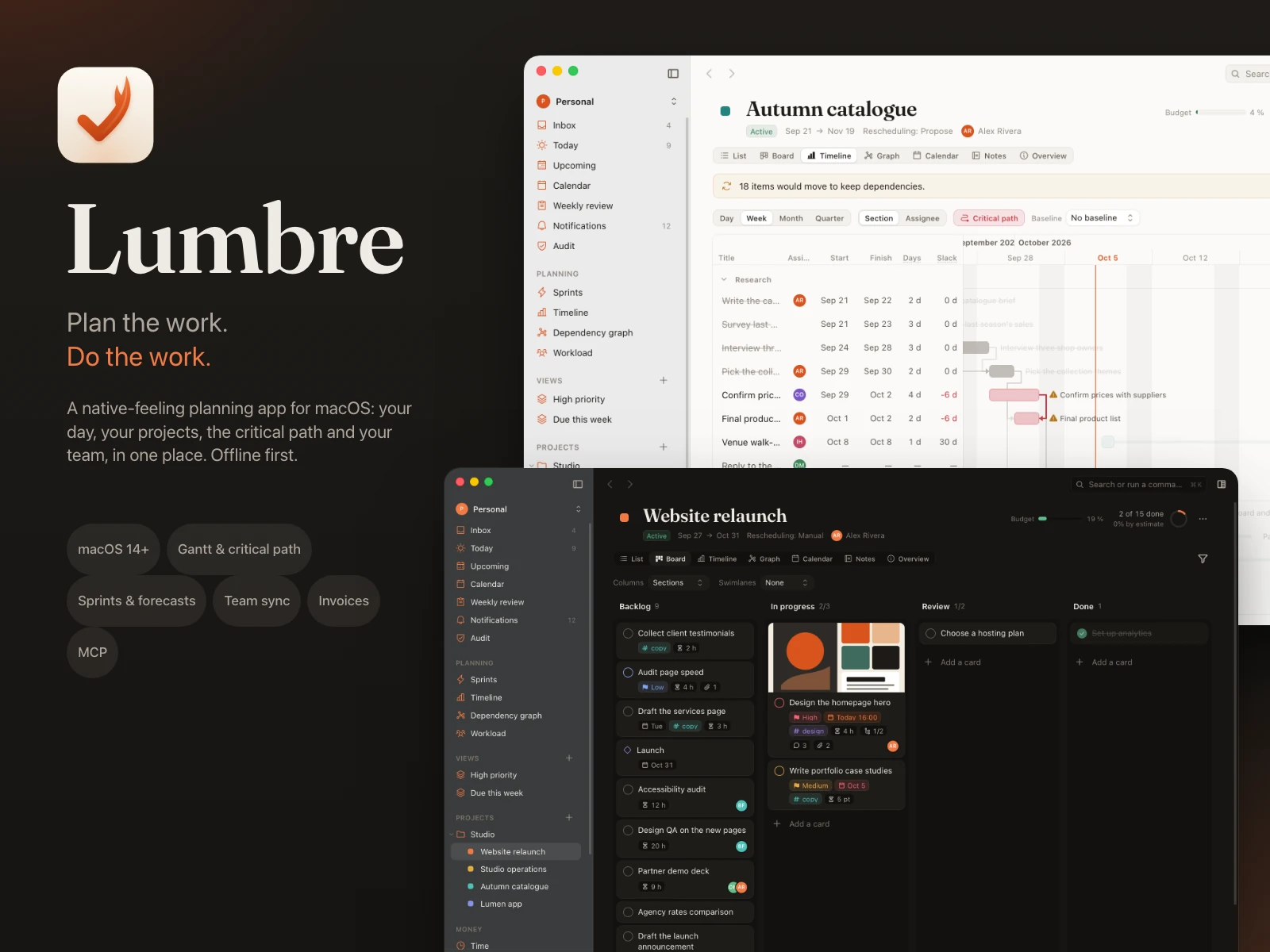
Plan the work. Do the work.
Lumbre is a planning and project app for macOS, for one person or a whole team. It plans your day next to your calendar, runs projects with boards and a Gantt timeline that knows its critical path, forecasts sprints from real throughput, and syncs shared workspaces through a server you host yourself. It works offline and without an account: each workspace is one SQLite file on the Mac.
You get the complete source code (Rust, Tauri 2, Svelte 5), a universal build for Apple silicon and Intel, the self-hostable sync server and the full documentation.
Features
Today and planning
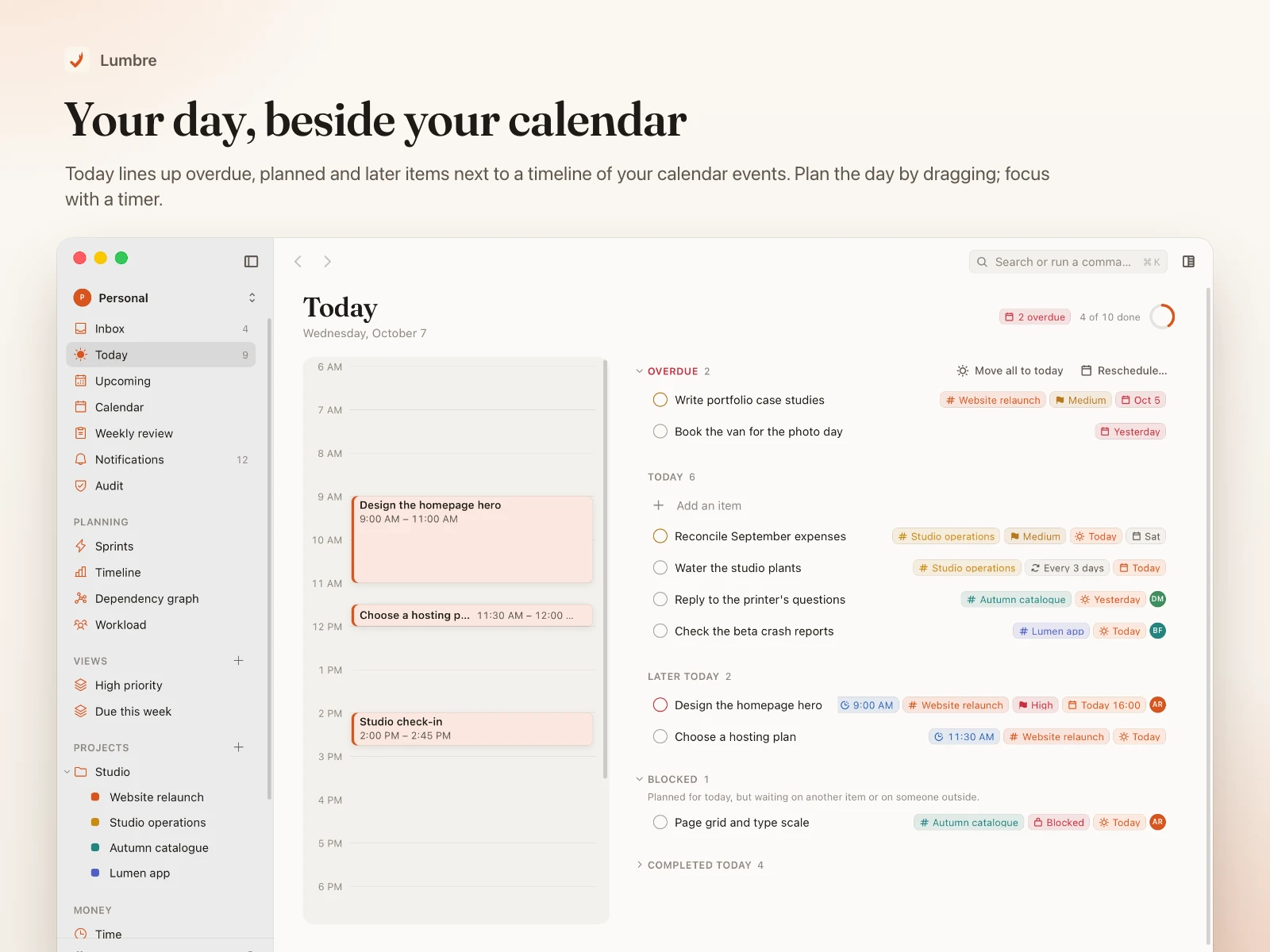
- Today shows overdue, today and later items next to a timeline of your calendar events; drag items onto the timeline to plan the day.
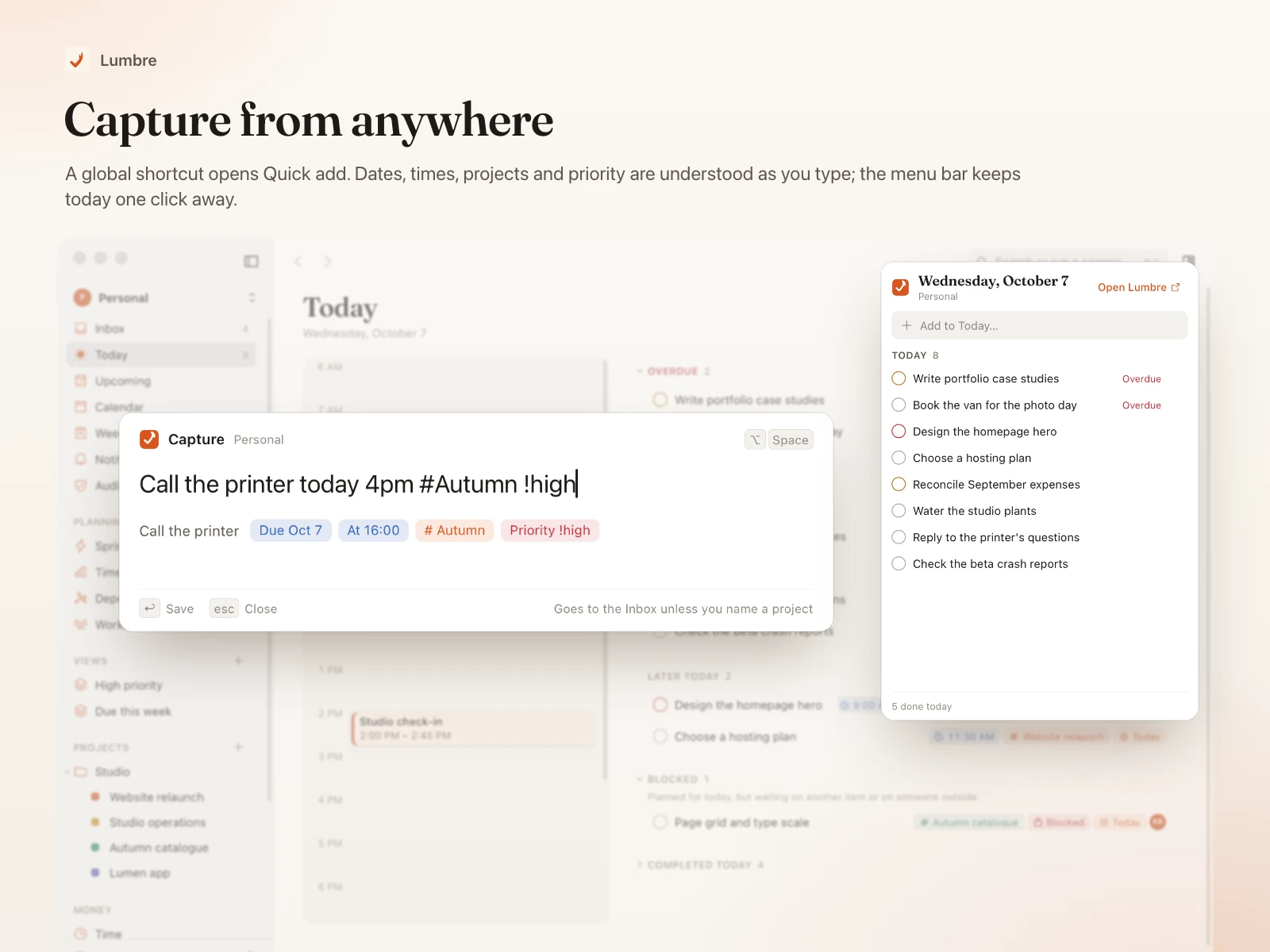
- Quick add understands plain language: dates, times,
#project, !priority and repeats.
- Inbox, Upcoming, a week and month calendar, recurring items, reminders, a focus timer and a weekly review.
Projects
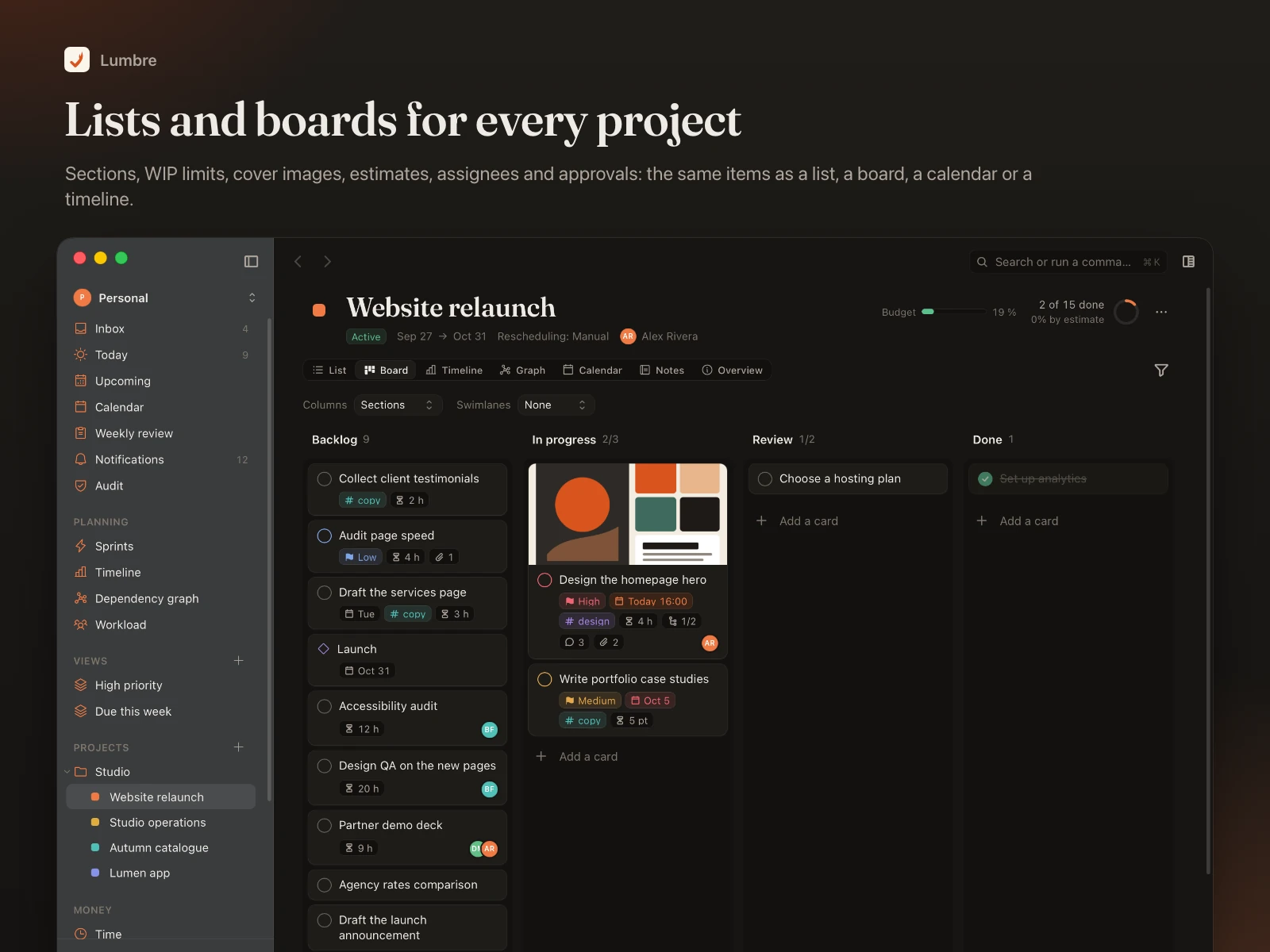
- Areas, projects and sections; every project as a list, board, timeline, dependency graph, calendar, notes or overview.
- Boards with WIP limits, swimlanes and cover images; bulk actions; saved views with a query language; comments, activity and a full inspector.
- Undo for everything, a Trash with 30-day restore, and automatic daily backups.
Dependencies and critical path
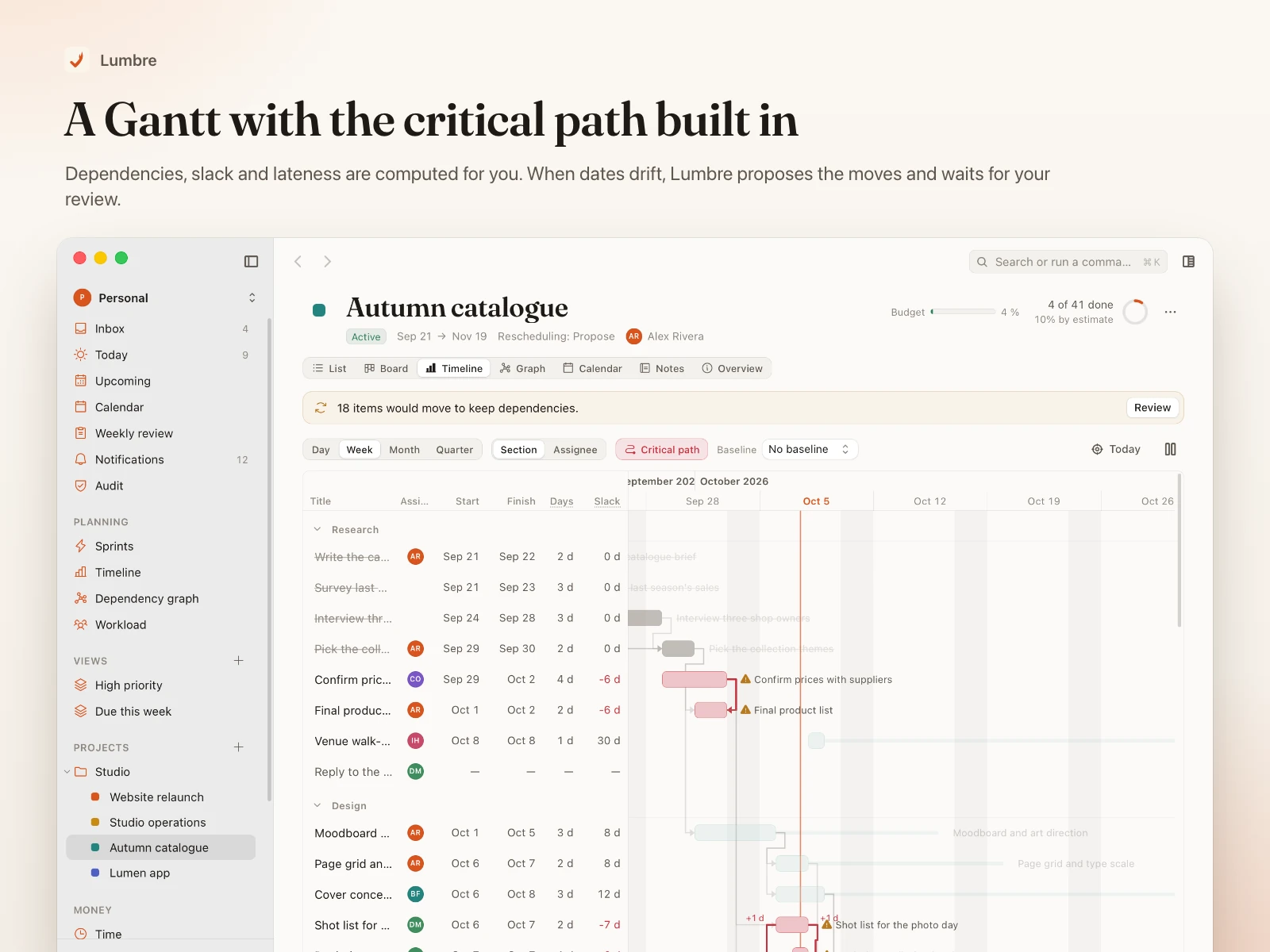
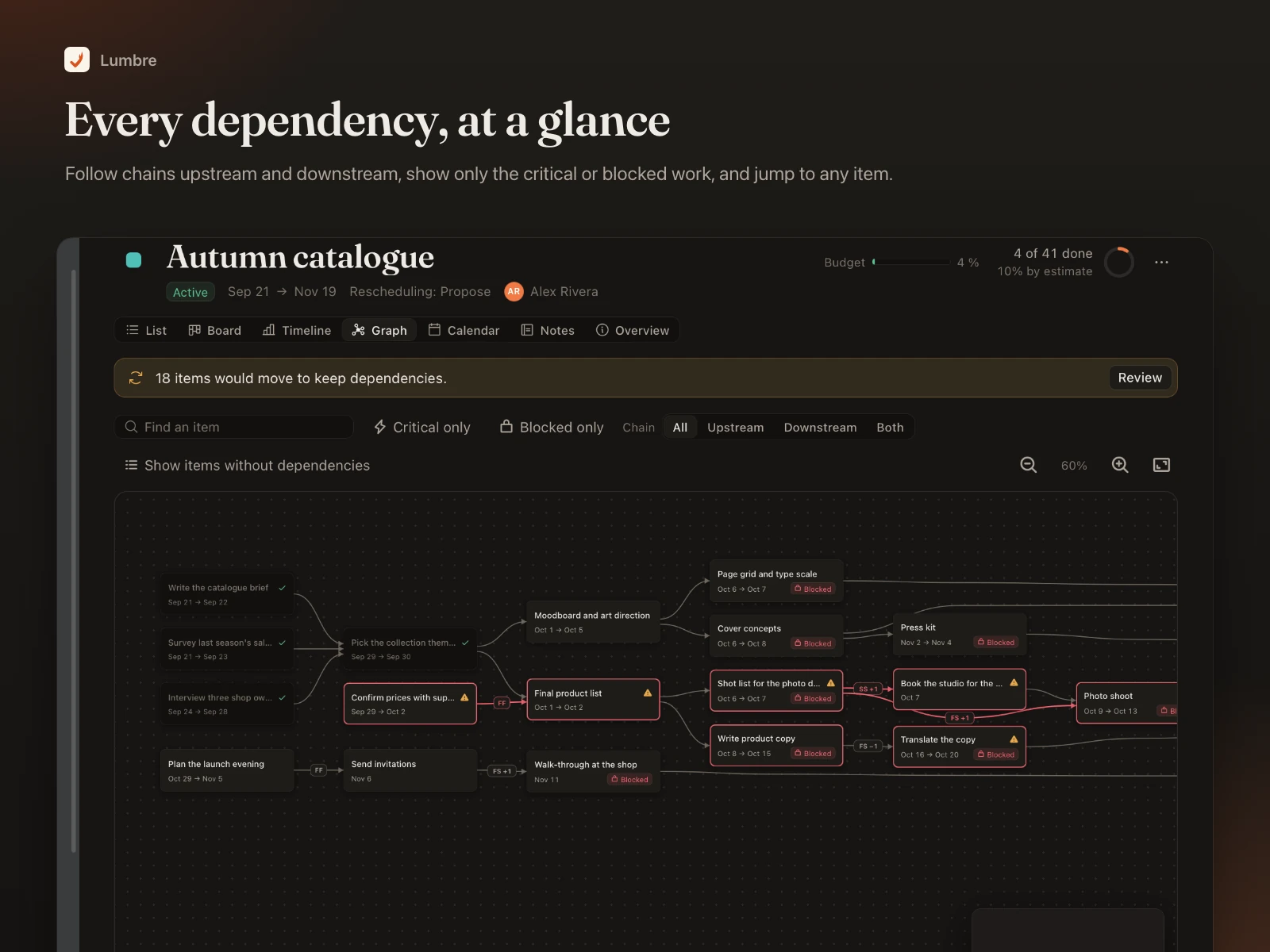
- Finish-to-start, start-to-start, finish-to-finish and start-to-finish relations, lags, constraints, work calendars and absences feed one scheduling engine.
- The Gantt timeline shows slack, lateness and the critical path; baselines show drift against the plan.
- "What if this slips" previews every item, milestone and project that would move before you change anything; automatic rescheduling proposes moves and waits for your review.
Sprints and forecasts
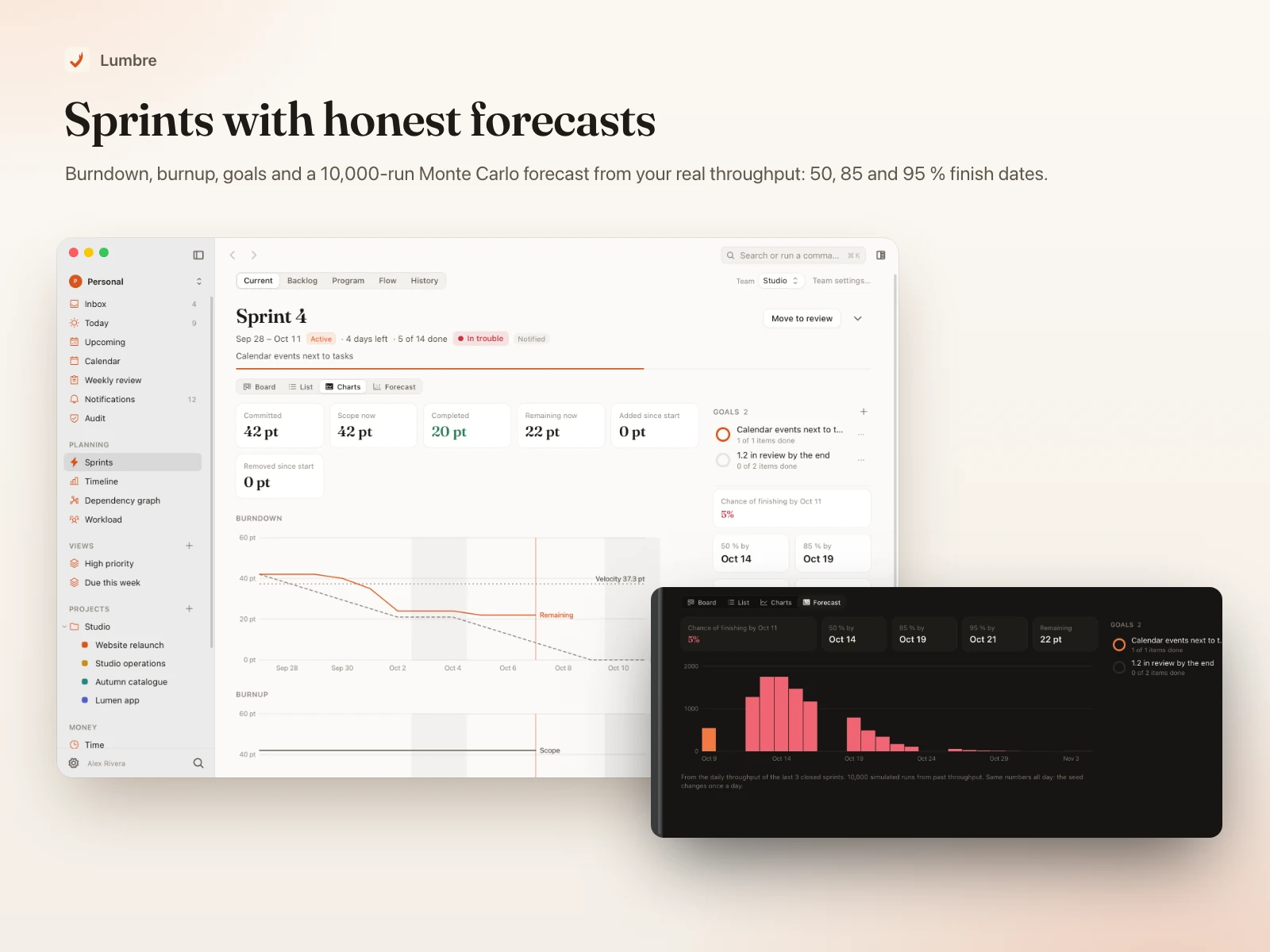
- Teams, backlog, capacity planning, estimates in hours or points, sprint goals and scope changes.
- Burndown, burnup, velocity, flow metrics and retrospectives with actions.
- A Monte Carlo forecast (10,000 runs from your real throughput) gives 50, 85 and 95 % finish dates for a sprint or a set of projects.
Team sync with permissions
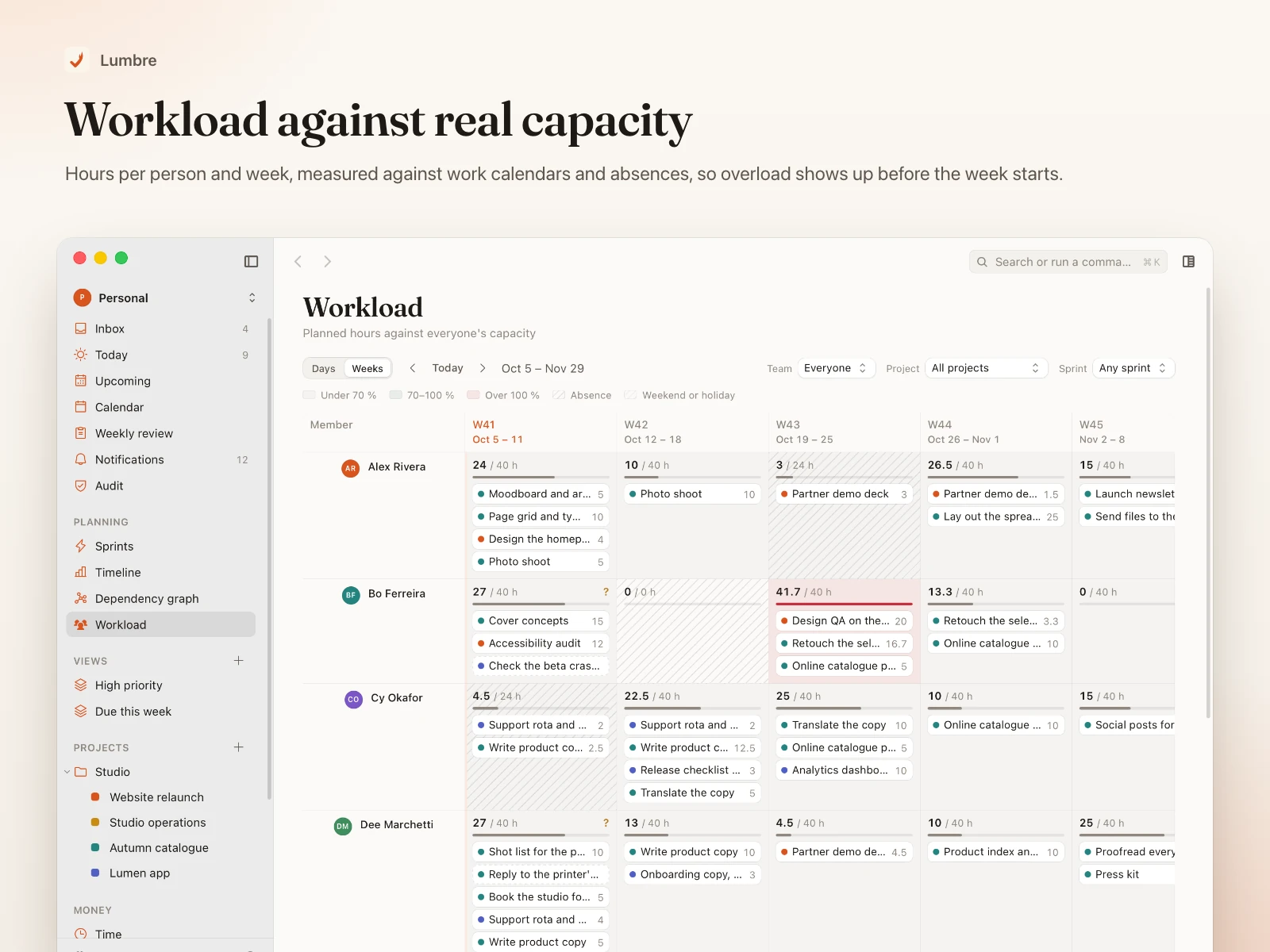
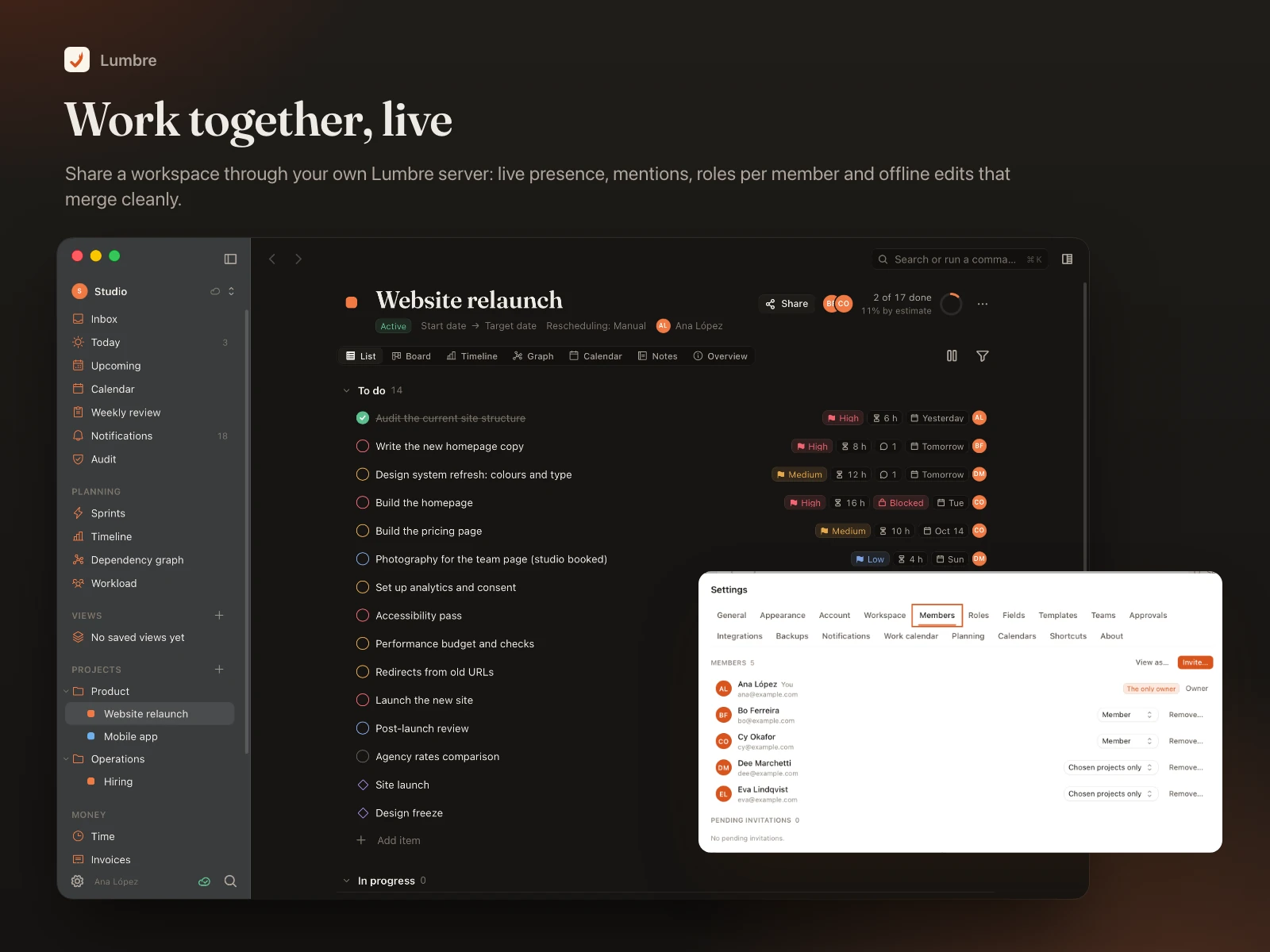
- Shared workspaces through your own Lumbre server: invitations, live presence, mentions, notifications and a workload view against each person's capacity.
- Offline edits merge field by field when you reconnect; "Verify workspace" checks a device against the server.
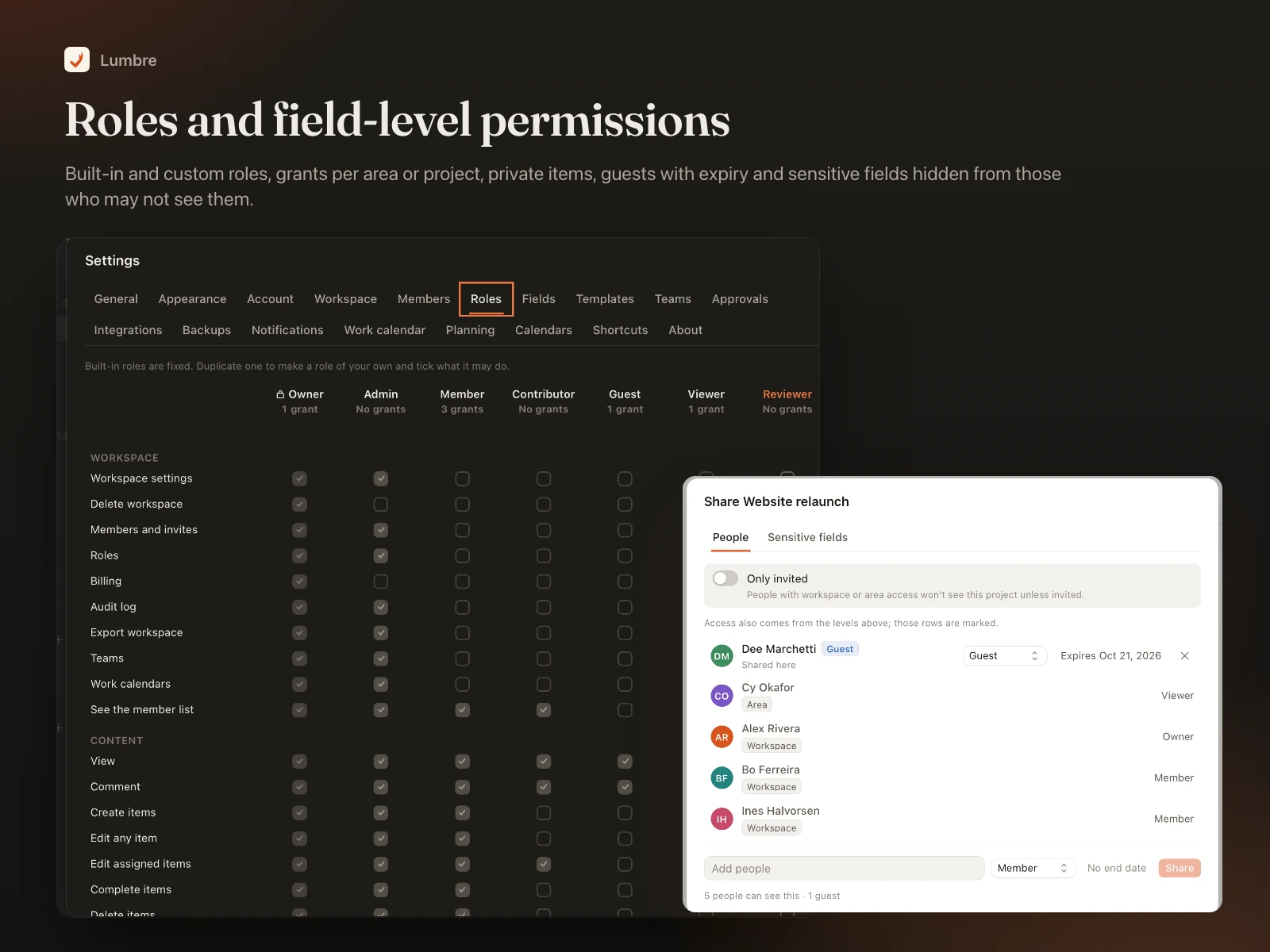
- Roles (Owner, Admin, Member, Contributor, Guest, Viewer and your own), grants per area or project with exceptions, private items, guests with an expiry date and sensitive fields hidden from people who may not see them. "View as" shows exactly what someone else sees.
Approvals and audit
- Approval policies for completions, milestone dates, deletions and expenses, with approvers by role or person.
- A hash-chained audit log that can be filtered, exported and verified.
Notes
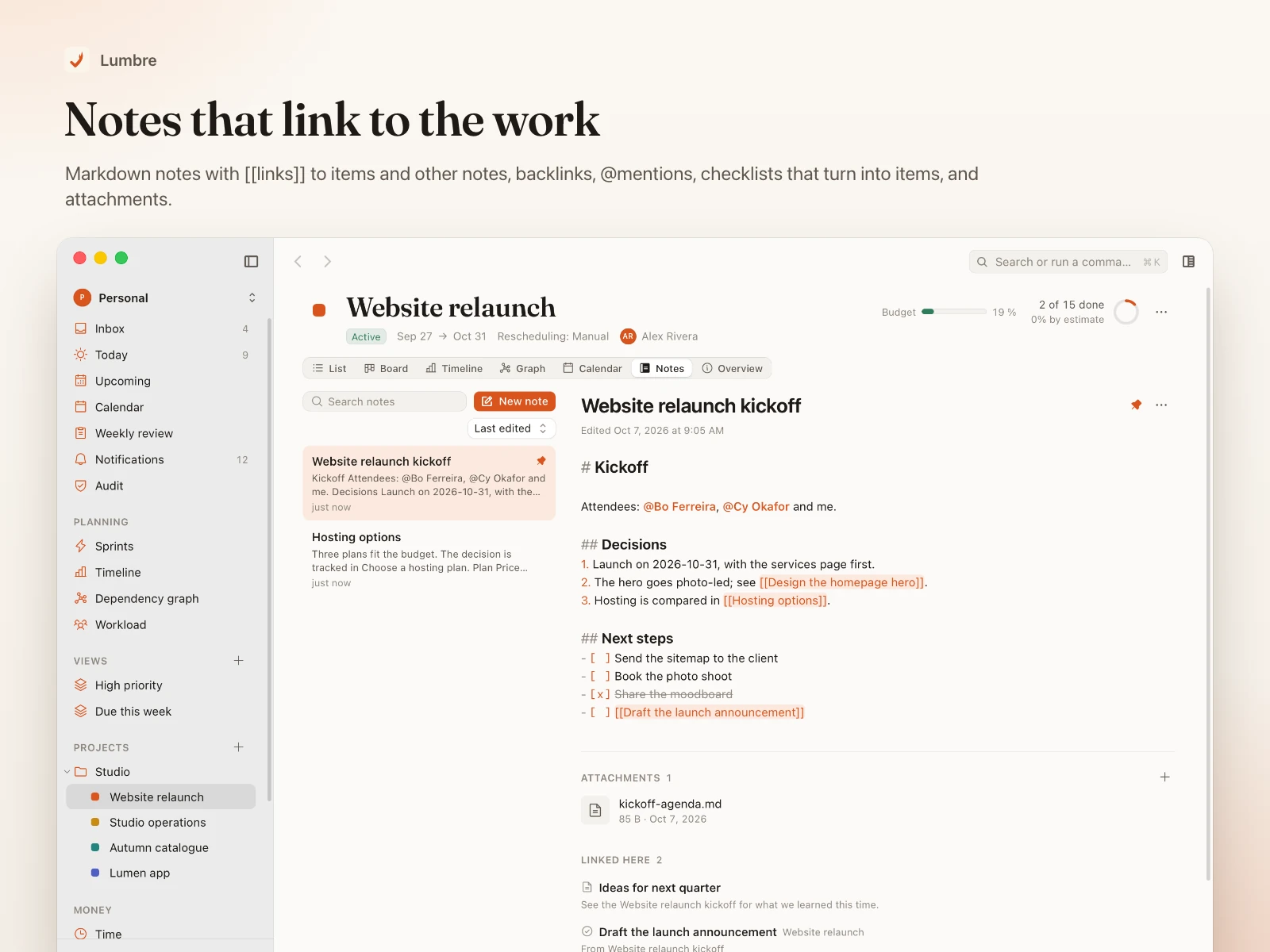
- Markdown notes with
[[links]] to items and other notes, backlinks, mentions, checklists that turn into items, and attachments.
- Custom fields (text, number, money, date, select, multi-select, checkbox, person, URL) and templates for items and projects.
Time and money
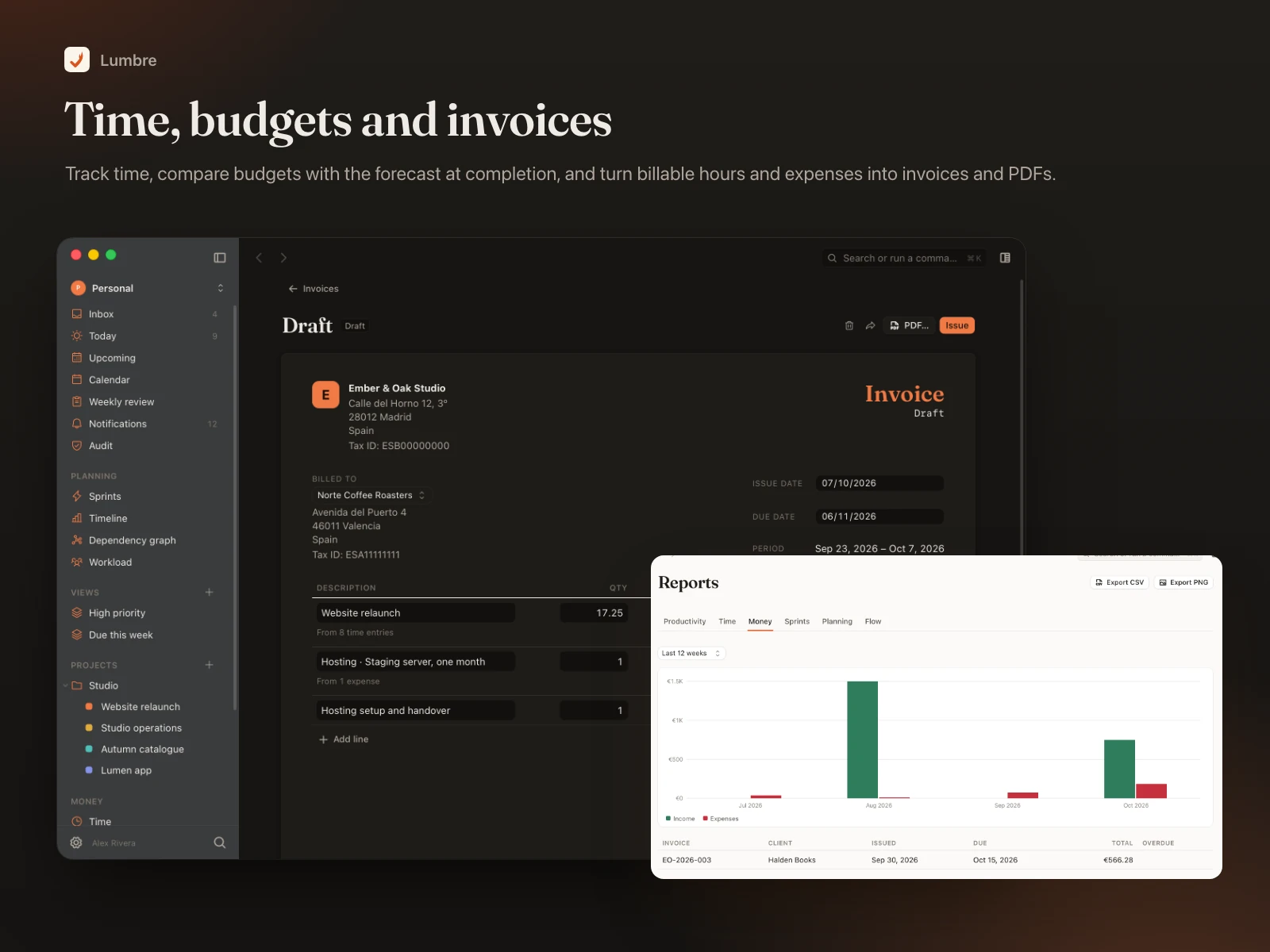
- A timer on any item, a weekly time sheet, idle detection and billable rates per project or person.
- Budgets with the forecast at completion, clients, income and expenses with receipts, and reports.
- Invoices from billable time and expenses, with numbering, tax, discounts and PDF export.
Integrations and MCP
- Menu bar popover with today's items and the running timer; a global capture panel (default shortcut Option-Space);
lumbre:// links.
- Import from a Lumbre or earlier-format JSON backup, Todoist, Things 3, Apple Reminders, Jira CSV and any CSV; export as Lumbre JSON, Markdown or CSV.
- A built-in MCP server (
lumbre-mcp) lets AI assistants search, create and update items, log time and read sprint forecasts, limited by a personal API token's scopes.
Made for the Mac
- Native look with vibrancy, light and dark mode, keyboard-first with a command bar, VoiceOver labels, larger text and increased contrast.
- Interface in English, Spanish, German, Brazilian Portuguese and Russian.
- Fast: under a second to a usable Today, smooth lists of 5,000 items, 2,000-item schedules computed in milliseconds.
What's in the ZIP
- source/: the full repository at release 0.1.0: macOS app (
app/), core library, sync engine, sync server and MCP server (crates/), scripts, Docker files and tests.
- Lumbre_0.1.0_universal.dmg: a universal build for Apple silicon and Intel, signed ad hoc.
- docs/: functional specification, design system, self-hosting, release and signing guide, import formats, security notes, QA report and known limitations.
- README-FIRST.md: how to build, run, sign, notarise and self-host.
Requirements
- macOS 14 Sonoma or later, Apple silicon or Intel.
- For shared workspaces: a server with PostgreSQL 16, or Docker to run the included Compose setup; a host name with HTTPS; SMTP for sign-in codes and invitations.
- To build from source: Xcode command-line tools, Rust stable, Node.js 24 and pnpm 10.
Install and self-host
- Try it: open the DMG and drag Lumbre to Applications. The build is signed ad hoc, so the first launch has to be allowed in System Settings → Privacy & Security → Open Anyway. Choose "Open the sample" to explore a full workspace.
- Build from source:
pnpm install, then pnpm dev to run it or scripts/release.sh for the universal app and DMG.
- Sign and notarise: set your Developer ID identity and notarisation credentials and run
scripts/release.sh again (step by step in docs/release.md).
- Host the sync server: copy
server.env.example, set the public URL, secret key and SMTP, then docker compose up -d behind your HTTPS reverse proxy (docs/self-hosting.md).
- Point the app at it: sign in from Lumbre with your server's address and invite your team.
Honest limitations
- Unsigned build: the included DMG is not signed with a Developer ID or notarised. Other Macs block it until you allow it once, or until you sign and notarise it with your own Apple Developer account.
- Passkeys need your app to carry the associated-domains entitlement for your server (a provisioning profile from your account). Until then, sign-in uses e-mail codes and authenticator-app codes.
- Translations: the German, Brazilian Portuguese and Russian interfaces have been checked automatically but not yet reviewed by native speakers. Server e-mails are in English or Spanish.
- The app bundle is larger than its target (about 42 MB DMG) because of the invoice PDF engine, and there is no currency conversion between amounts in different currencies. The full list is in
docs/known-limitations.md.
- Update feed and crash-report collection are built in but stay off until you configure your own endpoints.
Changelog
0.1.0: first release. Personal planning, projects, dependencies and critical path, sprints and forecasts, team sync with permissions, approvals and audit, notes, time and money, integrations and MCP, five interface languages.


 −24%
−24%